The Complete Toolkit for Managing Failed Payments
Most SaaS teams treat failed payments like a billing nuisance. They show up in Stripe, someone glances at the dashboard, and the team assumes Smart Retries or a couple of emails will sort it out.
That is how revenue quietly leaks.
Failed payments sit in the awkward middle between finance, support, lifecycle marketing, and product. Because no single owner fully owns them, most companies patch together a half-system: default Stripe settings, one generic dunning email, no meaningful segmentation, weak reporting, and a lot of wishful thinking.
If you want to reduce involuntary churn, you need an actual toolkit. Not one tool. A toolkit. The combination of settings, workflows, assets, data, and habits that gives your team a repeatable way to catch failures early, recover more revenue, and stop the same problems from repeating.
This guide breaks down the complete toolkit for managing failed payments. It is written for SaaS founders and operators using Stripe who want a practical stack, not fluffy advice.
What “failed payment management” actually includes
Failed payment management is bigger than retrying a card.
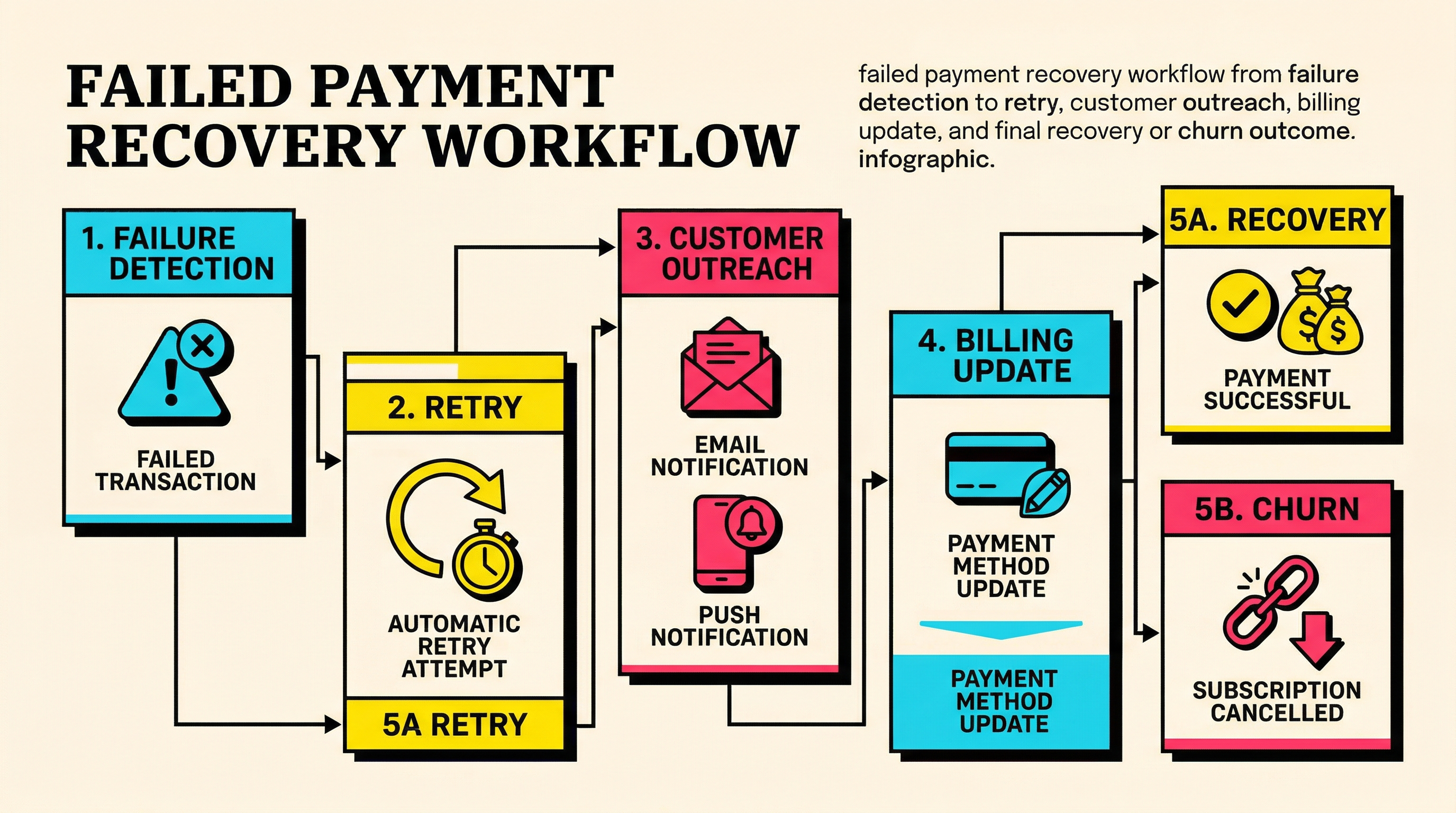
A good system covers five jobs:
- Detect payment failures fast.
- Classify why they happened.
- Recover the payment with the right retry and communication sequence.
- Get the customer to update billing details when automation will not fix it.
- Learn from the pattern so next month fails less often than this month.
That is why the right toolkit includes dashboards, decline-code references, retry logic, messaging assets, billing update flows, and reporting.
If you skip the diagnosis step, you treat an expired card like insufficient funds. If you skip messaging, you rely too much on retries. If you skip reporting, the same problems recur forever.
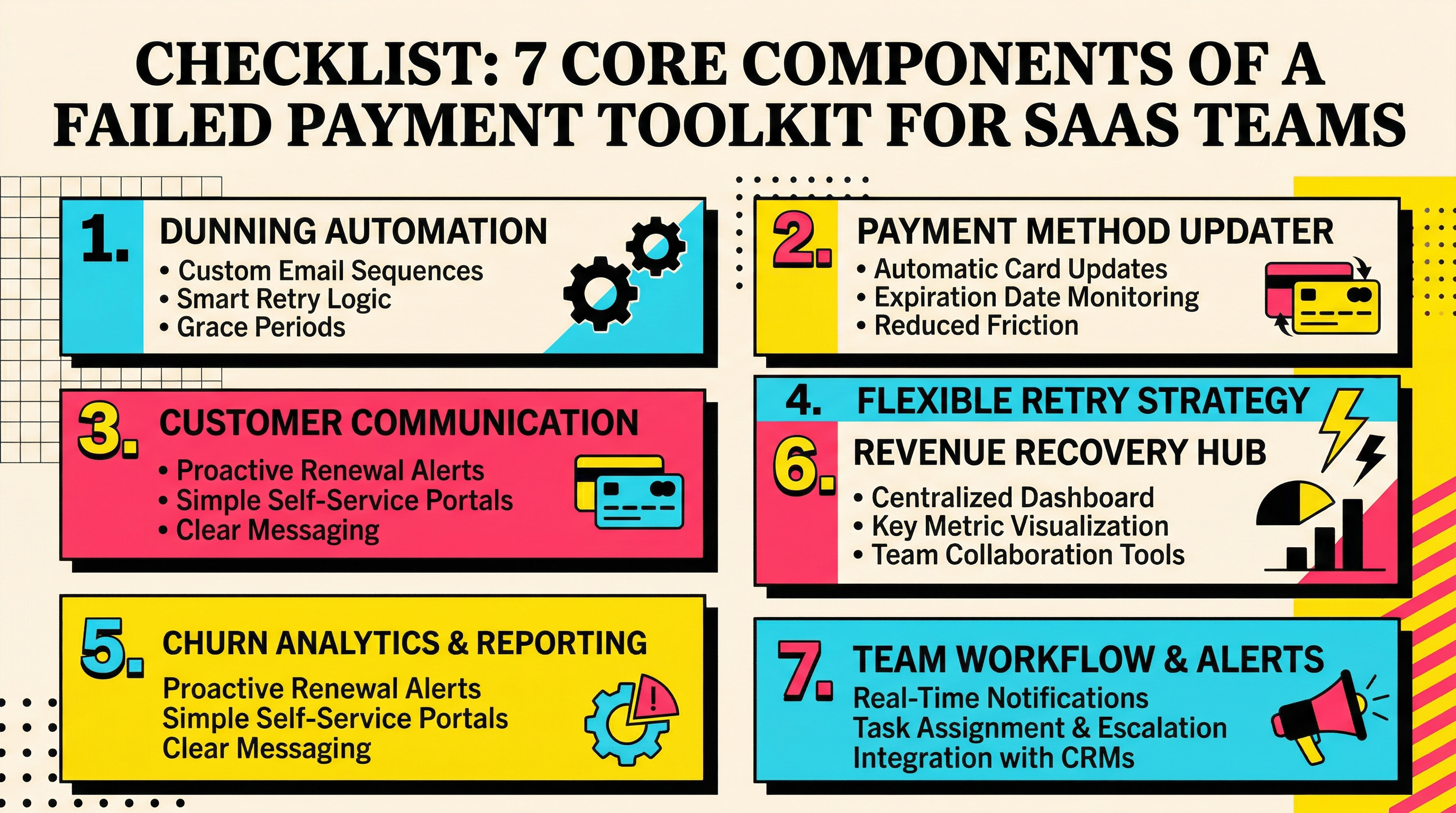
The 7-toolkit categories you actually need
The cleanest way to think about this is by category. Most SaaS teams already own pieces of this toolkit. The problem is the pieces are disconnected.
1. A failure visibility dashboard
You need a single place to answer these questions every week:
- How many payments failed?
- What percentage recovered?
- How much MRR is still at risk?
- Which decline reasons are growing?
- Which plans, geographies, or customer cohorts are most affected?
Without this, failed payments remain anecdotal. You hear about a few angry customers and miss the systemic issue.
At minimum, your dashboard should track:
- total failed payments
- recovery rate
- recovered revenue
- unrecovered revenue
- failure rate by decline code
- failure rate by day, week, and billing cycle stage
- payment-method update completion rate
If you have not built this yet, start simpler than you think. Even a weekly export from Stripe into a spreadsheet beats no visibility. But the goal is a durable view of payment health, similar to how you would monitor activation or churn.
For teams that want a quick benchmark before building everything manually, comparing your own numbers against SaaS churn benchmarks helps you spot whether your retention problem is likely operational or structural.
2. A decline-code lookup and triage system
Not all failed payments deserve the same playbook.
An expired card needs a customer update. Insufficient funds often needs timing. Authentication required usually needs customer action. A generic decline might need a retry plus a fallback message.
That means your team needs a triage layer that maps decline reasons to actions.
A practical triage table should include:
- decline code
- plain-English meaning
- likely temporary vs permanent
- whether retrying is useful
- recommended customer message
- escalation rule if still unresolved after X days
Stripe gives you a lot of raw data, but raw data is not an operating system. Your team should be able to look at a code and know what to do next in seconds.
If you want a good example of how to structure the reference side of this, the Stripe decline codes library is the right model: clear definitions, cause-oriented thinking, and actionability over jargon.
3. Retry timing logic
This is where a lot of teams get lazy.
They ask, “How many retries should we run?” when the better question is, “When is a retry most likely to succeed?”
A strong retry toolkit includes:
- default retry schedule
- exceptions by decline type
- timezone awareness
- payroll-cycle awareness where relevant
- a clear stop point where you switch from retries to customer action
This matters because some failures are temporary and recoverable within hours or days. Others are dead ends until the customer updates details. Blindly retrying everything is noisy and inefficient.
Most teams will do fine starting with Stripe defaults, but they should still review whether timing matches their customer base. If you bill global customers and all retries fire at a weird hour in local time, you are leaving money on the table.
The simplest rule: retries are for temporary payment problems, not for identity, card-lifecycle, or authentication problems.
The communication assets most teams forget to build
Automation without communication is brittle. Communication without automation is slow. You need both.
4. A dunning email sequence that matches the failure reason
The average failed payment email is bad. It says some variation of “your payment failed, please update your billing details” whether the issue is temporary, permanent, or not actually actionable by the customer yet.
That is lazy messaging, and customers can feel it.
A proper toolkit includes a small set of purpose-built emails:
- first failure alert
- reminder before next retry
- update-your-card email for expired cards or closed accounts
- authentication-required email for 3DS or SCA issues
- final warning before service interruption
- confirmation after recovery
These emails should not sound like finance robots. They should be clear, specific, and low-friction.
Your customer should immediately know:
- what happened
- whether they need to do anything
- how urgent it is
- the fastest path to fix it
Most teams do not need 15 email variants. They do need the right 5 or 6.
5. A billing update path that is frictionless
A lot of recovery is lost in the handoff.
The customer gets the email, clicks through, lands somewhere confusing, has to log in again, cannot find the payment section, and leaves. That is not a payment problem anymore. That is a UX problem.
Your toolkit needs a dead-simple billing update path:
- one obvious CTA in every message
- a secure update flow that works on mobile
- as few steps as possible
- clear confirmation once the payment method is updated
- support fallback if something breaks
This is why pages like Stripe payment method update links matter. The best recovery stack is not just about detection. It is about removing clicks between customer intent and successful payment recovery.
6. In-app and lifecycle backup prompts
Email is useful, but it should not carry the whole load.
If the customer logs in while their subscription is at risk, your product should help. A decent failed payment toolkit includes:
- billing alert banners
- in-app modal or account notice
- triggered lifecycle emails outside the invoice event itself
- support macros for billing-related tickets
This matters because some customers never see your billing email, or they ignore it until they are already inside the app trying to get work done.
That moment is gold. Do not waste it.
The operational tools behind the scenes
7. Recovery reporting and cohort analysis
If you only measure “did the invoice get paid eventually,” you miss the interesting stuff.
A serious toolkit measures performance by segment:
- recovery by decline code
- recovery by payment method type
- recovery by country
- recovery by plan tier
- recovery by days-since-failure
- recovery by email touchpoint
- recovery by retry attempt number
This helps you answer questions that actually improve the system.
For example:
- Are annual plans suffering from different failure reasons than monthly plans?
- Are UK customers recovering better after morning retries?
- Are final-warning emails doing any real work, or just adding drama?
- Is one card brand underperforming enough to deserve investigation?
Without cohort analysis, your recovery program stays generic. Generic programs underperform.
8. Weekly review workflow
You do not need a full revenue-ops department to run this well. You do need a recurring review.
Once a week, someone should look at:
- top decline reasons
- aged failed invoices
- recovery rate trend
- customers stuck in unpaid state beyond your expected window
- any sudden spike tied to a plan change, geography, gateway issue, or product release
This is how you catch operational rot early.
Maybe authentication-required declines spiked because of a checkout flow issue. Maybe card-expiry failures jumped because your reminders are weak. Maybe a specific segment is entering dunning but never seeing the update flow.
The review is where failed payment management stops being reactive and becomes a system.
How to assemble the toolkit without overengineering it
A lot of founders hear “toolkit” and imagine a six-week operations project. It does not need to be that dramatic.
Here is a lean rollout path.
Stage 1: Fix visibility
Before you add more automation, answer three questions with confidence:
- How much revenue are failed payments putting at risk every month?
- What share is getting recovered?
- What are the top three failure reasons?
If you cannot answer those, stop buying tools and start instrumenting.
Stage 2: Map failure reasons to actions
Create the triage sheet. It can be ugly. It can live in Notion or Google Sheets at first. What matters is that your team no longer improvises every time a payment fails.
A small mapping table saves an absurd amount of confusion.
Stage 3: Tighten the customer path
Audit every message and click between failure and recovery.
Ask the brutal questions:
- Is the email clear?
- Is the CTA obvious?
- Does the landing page solve the problem fast?
- Does the mobile experience suck?
- Do customers know whether the issue is temporary or requires action?
This is where real gains often come from. Not from a new platform. From removing friction.
Stage 4: Improve retry strategy
Only after visibility and customer-path basics are in place should you start tuning retry logic. Otherwise you are optimizing the wrong layer.
Good teams review retry timing alongside communication timing. That is the move. Recovery is a sequence, not a single tactic.
Stage 5: Add a dedicated audit layer
Once the basics work, use a tool that helps you see hidden recovery gaps without building an internal billing-ops monster.
That is the right role for a lightweight audit product. Not pretending to replace your billing stack, but helping you spot missed opportunities and weak points before they turn into churn.
What a “complete” toolkit does better than a pile of tools
This is the key distinction.
A pile of tools gives you more dashboards, more alerts, more templates, and more tabs.
A complete toolkit gives you a working system:
- failure appears quickly
- reason is understood
- next action is obvious
- customer path is low friction
- recovery gets measured
- patterns inform the next iteration
That is the difference between “we have Stripe plus some emails” and “we manage failed payments well.”
The SaaS companies that outperform here are rarely doing magic. They are just less sloppy. They classify better. They communicate better. They review the numbers. They remove friction. They do not let involuntary churn hide behind vague billing language.
The minimum viable failed payment stack for most SaaS teams
If you want the shortest practical version, here it is.
Your minimum viable toolkit should include:
- Stripe Billing or equivalent as the transaction source
- a weekly failed-payment dashboard
- a decline-code triage sheet
- 5 to 6 purpose-built dunning emails
- one clean payment-method update flow
- one in-app billing prompt
- weekly recovery review
- one audit process to find blind spots
That is enough to materially improve results for most subscription businesses.
Then, as volume grows, you add deeper segmentation, smarter retry timing, better lifecycle branching, and more precise forecasting.
Final thought
Managing failed payments is not about finding one silver bullet tool. It is about building a compact system that turns messy billing events into clear operational actions.
If your current process feels vague, inconsistent, or overly manual, that is not a minor ops annoyance. It is a churn problem.
The good news is the fix is usually less about buying more software and more about connecting the right pieces: visibility, triage, retries, messaging, update flows, and review.
If you want to see where your current setup is leaking recoverable revenue, run a free churn audit.
Related Posts

7 Failed Payment Segments Every Stripe Team Should Track

Pre-Dunning: How to Prevent Failed Payments Before They Happen
How healthy is your Stripe account?
Get a free churn health report. Find pending cancellations, failed payments, and expiring cards putting your MRR at risk.
Run Free Audit