The SaaS Revenue Leak Audit: Find Every Dollar You're Losing
Every SaaS business leaks revenue. The difference between companies that grow and those that stall isn't always about acquiring more customers. It's about plugging the holes that silently drain your existing revenue.
A SaaS revenue leak is any recurring loss of money that doesn't show up as a clean cancellation in your dashboard. Failed payments, outdated billing logic, grace period abuse, forgotten discounts that never expire, and a dozen other cracks in the system quietly erode your MRR every single month.
This audit guide walks you through every common revenue leak in a SaaS billing stack, with specific steps to identify, measure, and fix each one. Grab your Stripe dashboard, your billing config, and a spreadsheet. By the end, you'll know exactly where your money is going.
Why Revenue Leaks Matter More Than You Think
Most SaaS founders obsess over two numbers: new MRR and churn rate. But those metrics hide a massive blind spot. Revenue leaks sit in the gap between what you should be collecting and what actually lands in your bank account.
Consider this: the average SaaS company loses between 5% and 9% of its MRR to involuntary churn alone. That's payments that fail, cards that expire, and retry logic that doesn't recover the charge. On a $100K MRR base, that's $5,000 to $9,000 walking out the door every month without a single customer deciding to leave.
And involuntary churn is just one category of leak. When you add pricing errors, billing misconfigurations, and process gaps, the total leakage for a typical SaaS business can reach 10-15% of gross revenue.
The compounding effect is what kills you. A 10% revenue leak doesn't just cost you 10% this month. It costs you that 10% every month, and every expansion dollar built on top of a leaky base leaks proportionally too.
The Revenue Leak Audit Framework
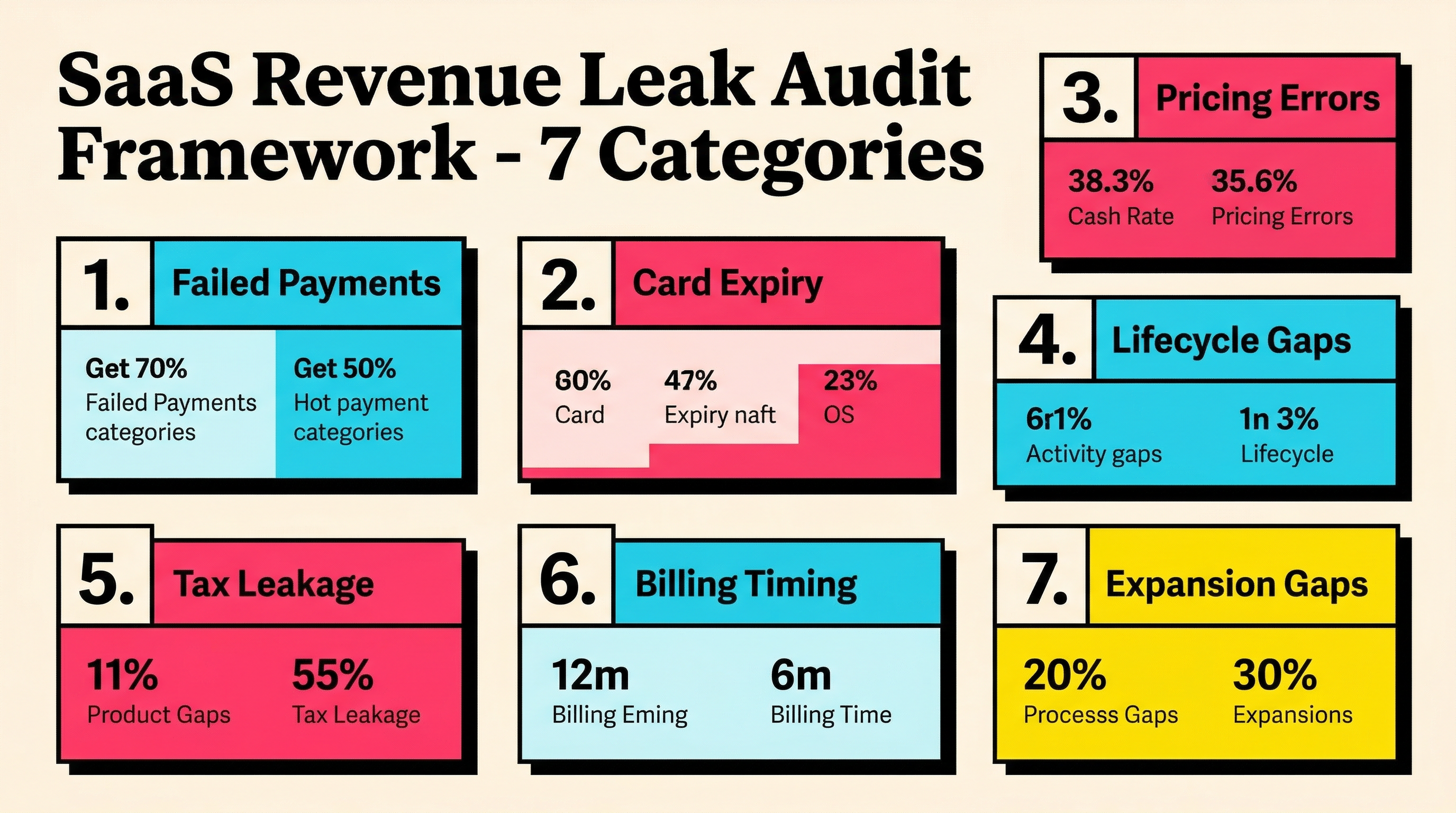
This audit covers seven categories. Work through them in order. Each section includes what to check, how to measure the leak, and what to do about it.
Category 1: Failed Payment Recovery
This is the biggest revenue leak for most SaaS companies and the easiest to measure.
What to check:
- Pull your failed payment rate from Stripe. Go to Payments > filter by status: Failed. Calculate: (failed payments / total payment attempts) × 100.
- Check your current recovery rate. Of all failed payments in the last 90 days, what percentage were eventually recovered?
- Review your retry schedule. How many retries happen? At what intervals? Is it Stripe's default Smart Retries, or a custom schedule?
- Look at your dunning email setup. Are you sending emails when payments fail? How many? What's the open rate and recovery rate per email?
How to measure the leak:
Monthly leak = Failed payments × (1 - recovery rate) × average revenue per payment
If you have 200 failed payments per month, a 60% recovery rate, and an average payment of $50, your monthly leak is: 200 × 0.40 × $50 = $4,000.
What to fix:
- If you're using Stripe's default retry logic without any customization, you're leaving money on the table. Stripe Smart Retries vs custom retry logic can make a significant difference in recovery rates.
- Add dunning emails at minimum. Three emails over 14 days is the baseline. The best performers send 4-5 emails over 21-28 days.
- Consider in-app notifications for failed payments. Email open rates hover around 20%. In-app banners hit 100% of active users.
- Update payment retry timing based on decline codes. An "insufficient funds" retry should happen on different days than a "card declined" retry.
Category 2: Card Expiry and Outdated Payment Methods
Cards expire. Banks reissue them. Customers switch banks entirely. If your billing stack doesn't proactively manage this, you're setting yourself up for preventable failures.
What to check:
- Query your Stripe customer base for cards expiring in the next 90 days. Use the API: list all payment methods, filter by
card.exp_monthandcard.exp_year. - Check whether you have any automated card update mechanism. Stripe's Automatic Card Updater handles some of this, but it only works for certain card networks and issuers.
- Review how many of your failed payments in the last 6 months were due to
expired_carddecline codes.
How to measure the leak:
Monthly expiry leak = Customers with expiring cards × churn rate for expired cards × average MRR per customer
Industry data shows that 20-30% of customers whose cards expire and aren't updated will churn. If 50 cards expire per month and your average MRR per customer is $80, the potential leak is: 50 × 0.25 × $80 = $1,000/month.
What to fix:
- Send proactive card update emails 30, 14, and 7 days before expiry.
- Enable Stripe's Automatic Card Updater if you haven't already.
- Add a self-service card update flow in your app. Make it dead simple: one click from the email lands them on a pre-filled update page.
- For more on this, read about card expiry management as a churn prevention strategy.
Category 3: Pricing and Plan Misconfigurations
This category is subtle and often overlooked. Pricing leaks happen when your billing system charges less than it should, or when legacy configurations create unintended discounts.
What to check:
- Audit all active coupons and discounts in Stripe. How many are still active? How many have no expiration date? What's the total monthly discount amount?
- Check for customers on legacy plans that are priced below your current rates. How many grandfathered customers do you have, and what's the revenue gap between their rate and the current rate?
- Look for metered billing discrepancies. If you bill based on usage, are you capturing all usage events? Are there edge cases where usage isn't tracked?
- Check for free trial extensions or grace periods that are longer than intended.
- Review any manual invoice adjustments or credits issued in the last 6 months.
How to measure the leak:
Pricing leak = (Sum of perpetual discounts per month) + (Grandfathered revenue gap) + (Unbilled usage)
This one requires a manual audit. Export your Stripe subscriptions, coupons, and invoices. Build a spreadsheet comparing what each customer pays versus what they would pay at current pricing.
What to fix:
- Set expiration dates on all future coupons. Review and sunset perpetual discounts.
- Plan a grandfathering migration. Even a gentle 10-20% price increase for legacy customers, communicated with 60 days notice, recovers significant revenue with minimal churn.
- Audit your metered billing pipeline end to end. Check for dropped events, delayed reporting, and uncounted usage.
- Set default trial periods at the product level in Stripe, not per-subscription, to prevent accidental extensions.
Category 4: Subscription Lifecycle Gaps
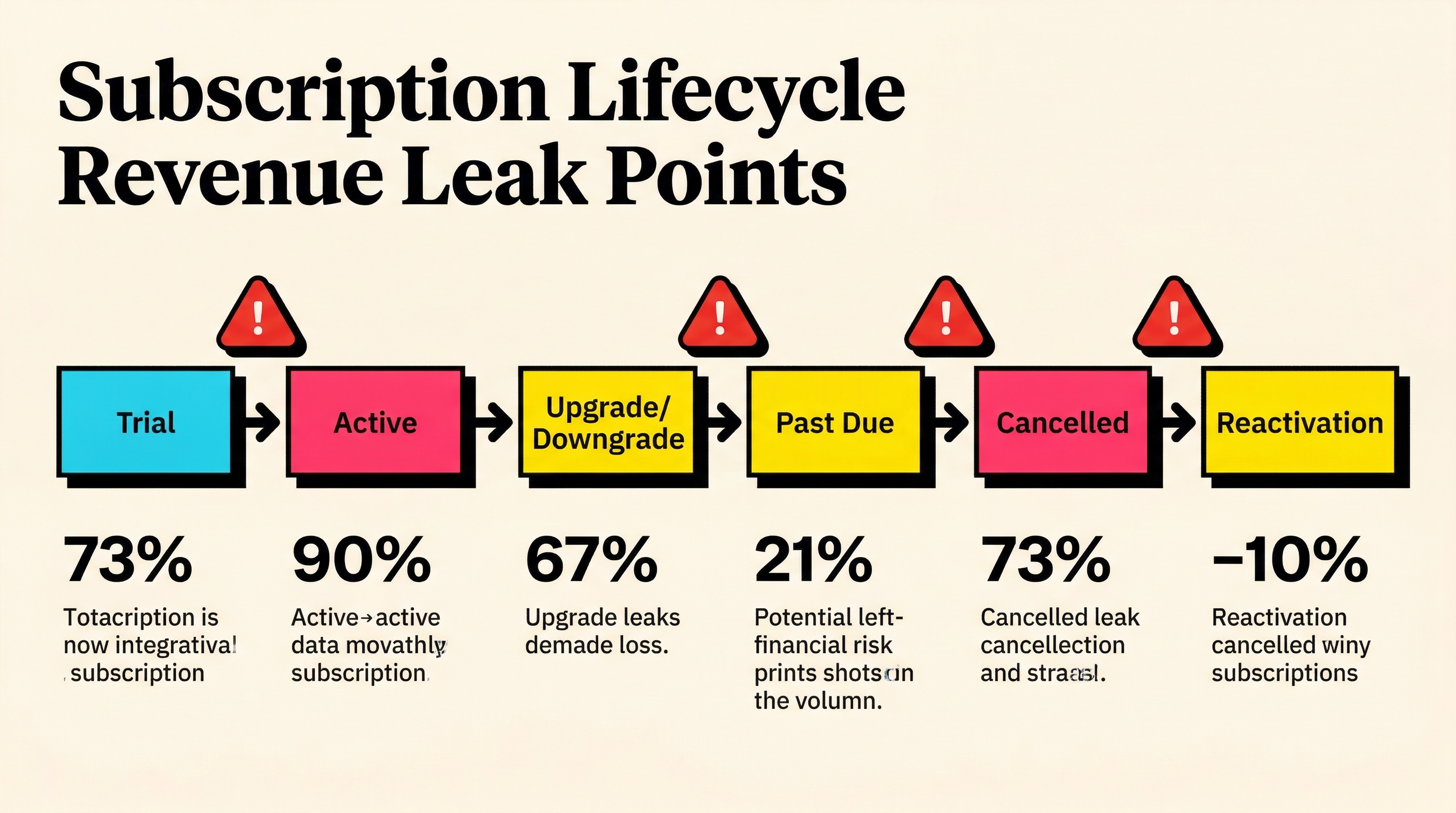
Revenue leaks hide in the transitions between subscription states: upgrades, downgrades, cancellations, and reactivations.
What to check:
- Review your downgrade flow. When a customer downgrades, does the price change take effect immediately, or at the end of the billing period? Immediate downgrades mid-cycle without proration credits are fine, but immediate downgrades with full refunds of the remaining period leak revenue.
- Check your cancellation grace period. How long do cancelled customers retain access? If it's beyond the paid-through date, you're giving away free service.
- Look at your reactivation flow. When a churned customer comes back, do they get a new trial? Are they charged from day one, or is there an unintentional free period?
- Audit your upgrade proration logic. When customers upgrade mid-cycle, are you correctly charging the difference? Stripe handles this well by default, but custom billing logic can introduce bugs.
- Check for "zombie subscriptions" where customers show as active but haven't been charged in 60+ days due to payment failures and exhausted retries.
How to measure the leak:
This requires a subscription-by-subscription audit of edge cases. Start with:
- Count of zombie subscriptions × average plan value
- Count of downgrades in the last 90 days × average revenue difference
- Count of reactivations with unintentional free periods × days of free access × daily rate
What to fix:
- Configure Stripe to cancel subscriptions after a defined number of failed payment retries (instead of leaving them in an "incomplete" limbo).
- Set cancellation access to end exactly at
current_period_end. - Ensure reactivation flows charge immediately and don't re-trigger trial periods.
- Run a monthly query for zombie subscriptions and handle them: either recover the payment or cancel cleanly.
Category 5: Tax and Fee Leakage
If you're not collecting the right taxes, you're either leaking revenue (by absorbing tax costs yourself) or building up compliance liability.
What to check:
- Are you collecting VAT, GST, or sales tax in jurisdictions that require it? If you're absorbing those costs instead of passing them through, that's a direct revenue leak.
- Check your Stripe Tax configuration. Are all applicable tax rates set up correctly?
- Review your payment processing fees. Are you on the optimal Stripe plan for your volume? Companies processing over $100K/month may benefit from custom pricing.
- If you use Stripe Billing with invoices, check for invoice financing fees or late payment terms that cost you money.
How to measure the leak:
Tax leak = Revenue from taxable jurisdictions × applicable tax rate (if you're absorbing it)
Processing fee leak = Current processing rate - available negotiated rate × monthly volume
What to fix:
- Implement Stripe Tax or a tax automation tool to collect appropriate taxes.
- If you're over $100K/month in volume, contact Stripe about custom interchange-plus pricing.
- Pass taxes through to customers. Most B2B SaaS buyers expect to see tax as a separate line item.
Category 6: Billing Cadence and Timing
When you charge and how you structure billing periods can create sneaky revenue leaks.
What to check:
- Compare your annual vs monthly plan pricing. Is the annual discount reasonable (15-20%), or have you been too aggressive (30%+)?
- Check for billing date alignment issues. If customers signed up on the 31st of a month, how does your billing handle February?
- Review your free-to-paid conversion timing. When a trial converts to paid, is the first charge immediate, or is there a gap?
- Look at your billing anchor dates. Are they consistent, or do they drift with subscription changes?
How to measure the leak:
Annual discount leak = (Monthly price × 12 - Annual price) × number of annual subscribers
Conversion gap leak = Average gap days × daily rate × monthly trial conversions
If your annual plan gives a 30% discount instead of 20%, and you have 200 annual subscribers at $100/month: the extra discount costs you 200 × $100 × 12 × 0.10 = $24,000/year, or $2,000/month.
What to fix:
- Benchmark your annual discount. 15-20% is standard. Anything over 25% deserves a hard look at whether the retention benefit justifies the revenue hit.
- Ensure trial-to-paid conversion charges happen on the conversion date, not the next billing cycle.
- Use Stripe's billing anchor feature to keep billing dates consistent through plan changes.
Category 7: Expansion Revenue Gaps
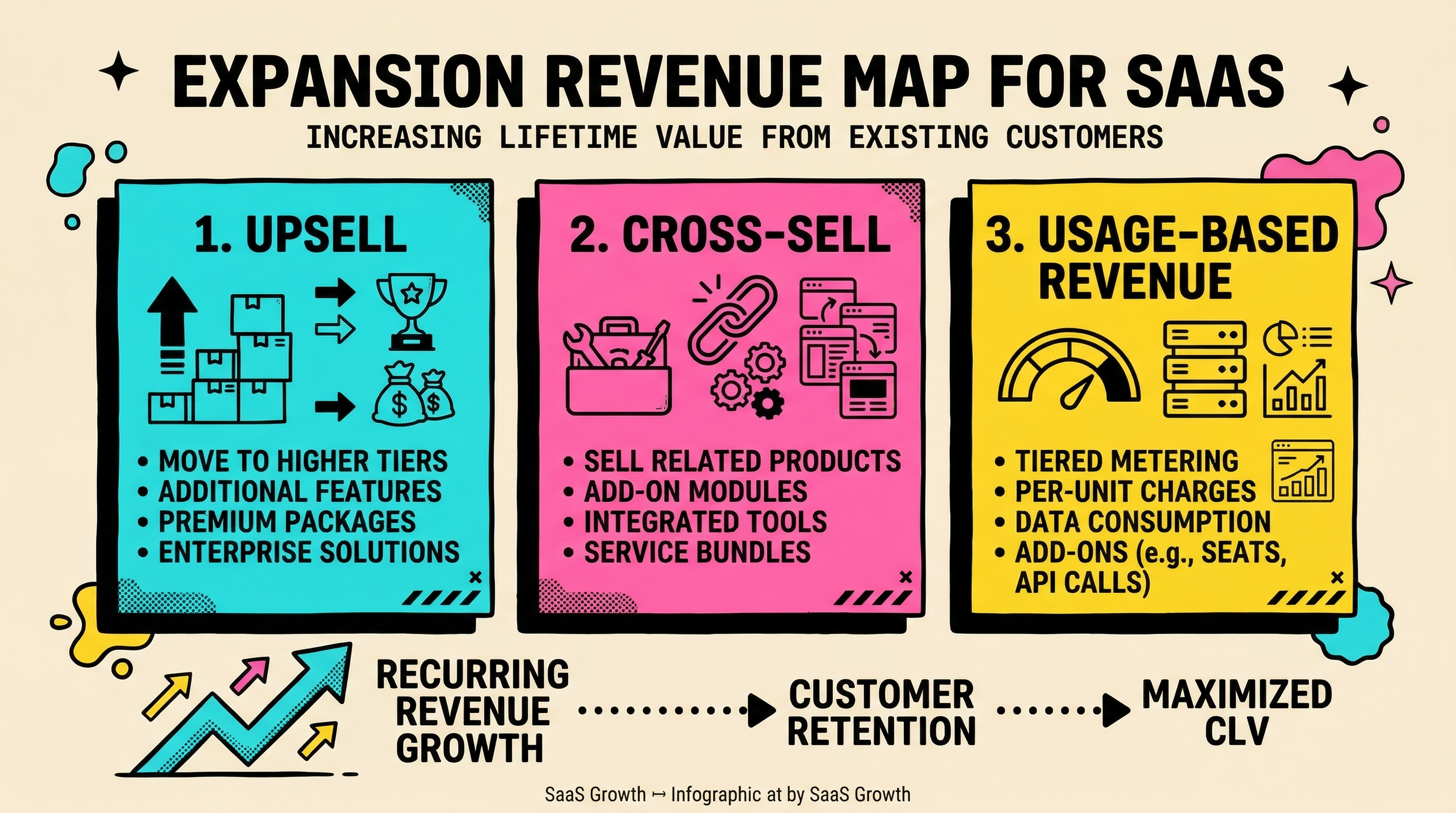
The final category isn't about losing existing revenue. It's about failing to capture revenue you've already earned the right to collect.
What to check:
- Identify customers who exceed their plan limits but aren't being charged overage fees (if your pricing model includes them).
- Look for customers on lower plans whose usage patterns suggest they need a higher tier.
- Check whether your billing system automatically adjusts seat-based pricing when customers add team members, or if it requires manual updates.
- Review your upgrade prompts. Are you surfacing upgrade opportunities at the right moments (when customers hit limits, not randomly)?
How to measure the leak:
Expansion gap = Customers exceeding plan limits × (appropriate plan price - current plan price)
Seat gap = Unbilled seats × per-seat price
What to fix:
- Implement automated seat counting that syncs with your billing system.
- Set up usage alerts that trigger upgrade conversations at 80% of plan limits.
- If you offer overage billing, make sure it's actually working. Test it end to end.
- Build upgrade nudges into your product at natural friction points.
Running the Audit: A Step-by-Step Process
Now that you know what to look for, here's how to run the full audit efficiently.
Step 1: Export your data (30 minutes)
Pull from Stripe:
- All subscriptions (active, past_due, canceled, incomplete)
- All invoices from the last 6 months
- All payment intents (succeeded and failed)
- All coupons and discounts
- All payment methods with expiry dates
Step 2: Build your leak tracker (15 minutes)
Create a spreadsheet with these columns:
- Leak category
- Estimated monthly leak ($)
- Severity (high/medium/low)
- Fix complexity (easy/medium/hard)
- Fix timeline
Step 3: Quantify each category (2-3 hours)
Work through the seven categories above. For each one, calculate the estimated monthly leak using the formulas provided. Don't aim for perfection. A rough estimate within 20% is enough to prioritize.
Step 4: Prioritize by ROI (30 minutes)
Sort your leaks by: estimated monthly recovery ÷ fix effort. The best fixes are high-value and low-effort. For most SaaS companies, the priority order is:
- Failed payment recovery (highest impact, moderate effort)
- Card expiry management (high impact, low effort)
- Zombie subscription cleanup (medium impact, low effort)
- Pricing audit and coupon cleanup (medium impact, medium effort)
- Expansion revenue automation (high impact, high effort)
Step 5: Fix and measure (ongoing)
Implement fixes one at a time. Measure the before and after for each category. Track your overall "revenue leak rate" monthly: total leaked revenue ÷ expected revenue.
What a Healthy Revenue Leak Rate Looks Like
After running this audit and implementing fixes, here's what good looks like:
- Failed payment rate: Under 5% of total payment attempts
- Payment recovery rate: 65-80% of failed payments recovered
- Expired card churn rate: Under 10% of customers with expiring cards
- Perpetual discount exposure: Under 2% of MRR
- Zombie subscriptions: Zero (cleaned up within 30 days of last failed payment)
- Revenue leak rate overall: Under 3% of expected revenue
Most SaaS companies we see start with a leak rate of 8-15%. After a thorough audit and 90 days of fixes, the best performers get this under 3%.
Common Mistakes to Avoid
Don't try to fix everything at once. Pick the top two or three leaks by dollar value and tackle those first. Trying to fix all seven categories simultaneously leads to half-finished implementations that don't actually recover revenue.
Don't ignore small leaks. A $200/month leak from perpetual coupons seems trivial. But $200/month over 3 years is $7,200, and you probably have multiple small leaks that add up.
Don't forget to re-audit. Revenue leaks aren't a one-time fix. New leaks emerge as you change pricing, add features, and scale your customer base. Run this audit quarterly, or at minimum, twice a year.
Don't assume your billing system is correct. Stripe is excellent, but it does what you tell it to do. If your configuration is wrong, Stripe will faithfully execute the wrong billing logic every month.
The Compound Effect of Fixing Revenue Leaks
Here's why this audit is worth your time, expressed in numbers.
Assume you're at $100K MRR with a 10% revenue leak rate. That's $10,000/month walking out the door. If you cut that to 3%, you recover $7,000/month.
Over 12 months, that's $84,000 in recovered revenue. And because that revenue compounds (retained customers expand, refer others, and reduce your CAC payback period), the actual impact over 24 months is closer to $150,000-$200,000.
For most SaaS companies, a revenue leak audit delivers more ROI per hour than any marketing campaign or sales initiative. You're not acquiring new revenue. You're keeping revenue you already earned.
Your Next Step
If you're running a SaaS business on Stripe, you almost certainly have revenue leaks. The question is how big they are and which ones to fix first.
A good place to start: run a free churn audit. It analyzes your Stripe account for failed payment patterns, recovery gaps, and involuntary churn signals. In a few minutes, you'll know exactly where your biggest leaks are and what to do about them.
Stop guessing. Start auditing. The revenue is already yours. You just need to collect it.
Related Posts
Stripe Do Not Honor Recovery: What SaaS Teams Should Do Next

7 Payment Recovery KPIs Every Stripe Team Should Track

7 Failed Payment Segments Every Stripe Team Should Track
How healthy is your Stripe account?
Get a free churn health report. Find pending cancellations, failed payments, and expiring cards putting your MRR at risk.
Run Free Audit