The Anatomy of a Failed Payment: What Actually Happens

A failed payment looks simple from the outside. A charge is attempted, the card is declined, and revenue disappears. But that clean little story is bullshit. What actually happens is a chain reaction across your billing system, the card network, the issuing bank, your retry logic, and your customer communication.

If you run a SaaS business on Stripe, understanding that chain matters. It tells you which failures are recoverable, which ones need customer action, and which ones are quietly inflating your involuntary churn without you noticing.
This is the anatomy of a failed payment: what happens from the first authorization attempt to the moment you either recover the revenue or lose the customer.
A failed payment is not one event
The biggest mistake founders make is treating a failed payment like a single binary outcome. Paid or unpaid. Success or failure. In reality, a failed payment is a workflow with multiple states, timestamps, and possible exits.
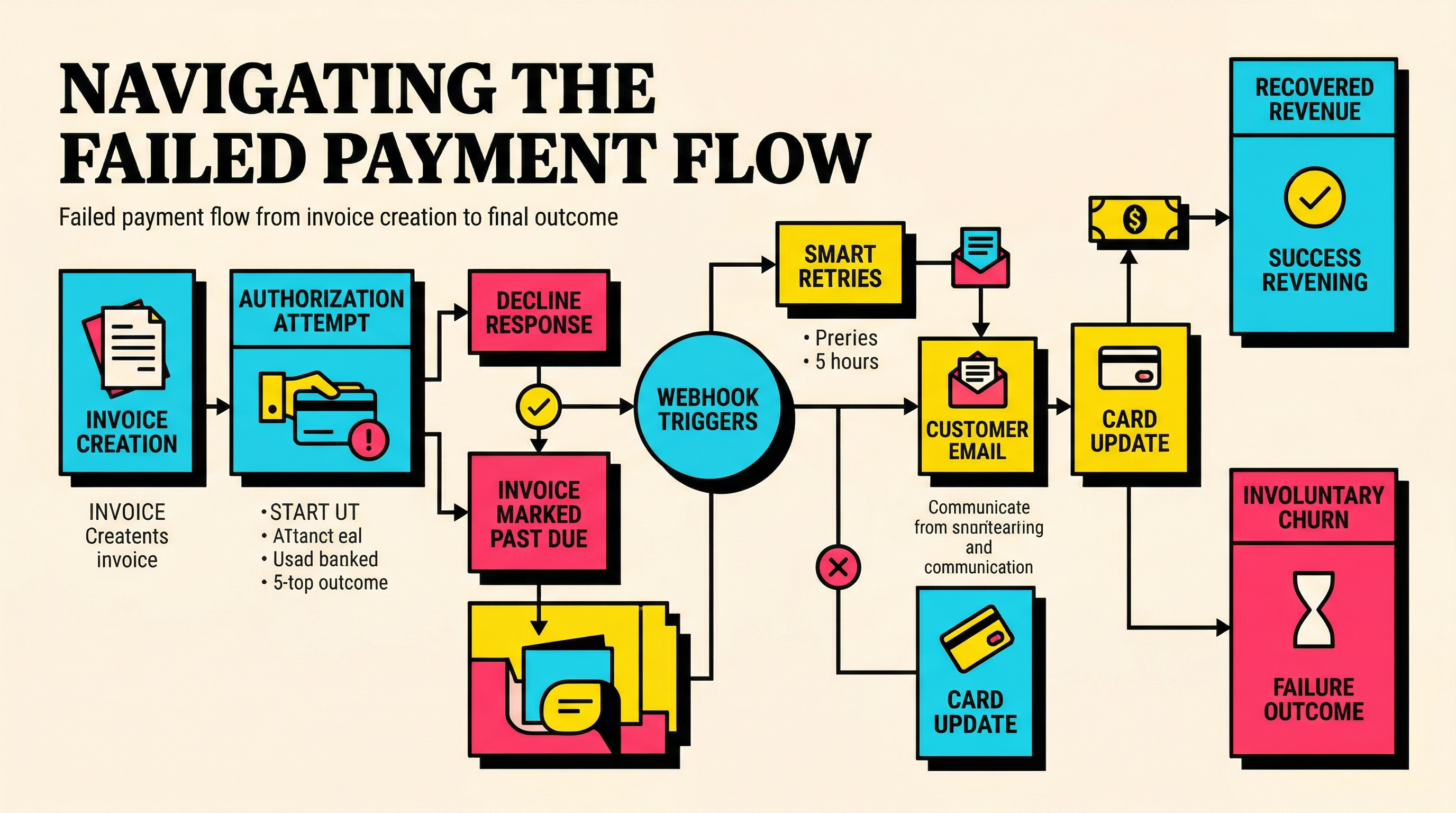
When a subscription renews in Stripe, the system usually creates an invoice, attempts collection using the customer’s default payment method, and waits for an authorization response. If that authorization fails, Stripe does not just shrug and move on. The invoice stays open or past due depending on your settings. Webhooks fire. Smart Retries or custom retry logic may queue another attempt. Your dunning flow may start. The customer might get an email. Your product may keep access open for a grace period. Or it may cut them off immediately.
That means a failed payment has at least four layers:
- Billing layer: invoice status, subscription status, next attempt date
- Payment layer: authorization response, decline code, network outcome
- Recovery layer: retries, payment method updates, dunning emails
- Customer layer: confusion, intent, urgency, and likelihood of fixing the issue
If you only look at one layer, you will misread the problem. A founder sees "failed payment" and thinks revenue is lost. Often it is not. Another founder sees "past_due" and assumes the customer is about to churn. Sometimes they are just waiting for payday.
The point is simple: failed payments are a process, not a verdict.
Step 1: the renewal invoice is created
The anatomy starts before the failure. On renewal day, Stripe generates an invoice for the subscription amount. If you use automatic collection, Stripe then attempts to charge the saved payment method.
That invoice is the object that anchors everything that follows. It stores the amount due, the due date, the customer, the subscription, the line items, tax, and eventually the payment attempt history.
This matters because you are not really recovering a charge. You are recovering an unpaid invoice. That distinction affects reporting, retries, customer messaging, and how long a user can stay active before the invoice is written off.
At this stage, three quiet problems can already exist before any decline comes back:
- the saved card may be expired or replaced
- the bank may require customer authentication for the transaction
- the account may have insufficient funds at that moment even if the customer intends to keep paying
Nothing has failed yet from the customer’s point of view. But the setup for failure is already there.
Step 2: Stripe attempts authorization
Once Stripe sends the payment request, it travels through the usual mess of modern card payments: payment method, processor, card network, issuing bank, and back again. For SaaS operators, the important thing is that the bank is not answering a philosophical question like "is this customer good?" It is answering a narrower question: "should this transaction be approved right now under current conditions?"
That means a decline is often about timing or context, not intent.
Common examples:
- Insufficient funds: the customer is still real, still active, still wants the product, but the balance is wrong at that moment
- Expired card: the customer may not even know the stored card needs updating
- Do not honor: the bank is being vague and unhelpful, which is annoyingly common
- Authentication required: the payment might succeed if the customer completes a 3D Secure step
- Processing error or issuer unavailable: the bank or network hiccupped and your timing sucks
This is why decline code detail matters so much. If you want a cleaner picture, the Stripe decline codes guide is useful because the generic "payment failed" label hides the real cause.
A failed payment is basically the moment when the system tells you, "not now, and here is maybe why."
Step 3: the invoice becomes unpaid and statuses start changing
Once the payment attempt fails, Stripe updates the invoice and subscription states based on your configuration. This is where founders often get blindsided because the payment outcome and the subscription outcome are not identical.
You might see:
- invoice status move to
openorpast_due - subscription status remain
activefor a grace period attempt_countincrement on the invoicenext_payment_attemptset if retries are enabled- customer emails triggered if Stripe or your own workflow sends them
This state transition is the operational heart of involuntary churn. Nothing in the product necessarily changes yet. The customer may keep using the app. Revenue recognition may pause or become uncertain. Finance reports start to diverge from product access reality. Support gets dragged in later if the user loses access without context.
That is why teams need a clean definition of what counts as churn versus what counts as recoverable revenue in limbo. If you jam all failed renewals straight into churn reporting, your numbers get noisy. If you ignore them until cancellation, you react too late. The sane middle ground is to track failed payments as a separate pipeline with clear recovery windows.
Step 4: webhooks fire and your systems react
The quiet killer in failed payment handling is not the decline itself. It is what your systems do next.
When Stripe updates the invoice or subscription, webhooks usually fire. Depending on your setup, that may trigger internal alerts, Slack messages, CRM updates, dunning emails, account restrictions, or retry scheduling.
This is where a lot of SaaS stacks become a clown car.
One tool marks the account at risk. Another sends a generic billing email. A third pauses access immediately. Product analytics still counts the user as active. Finance exports show unpaid MRR. The founder opens the dashboard and sees a weird mismatch between active subscribers and collected cash.
A failed payment is therefore not just a billing event. It is a coordination test.
The best setups handle it with a predictable sequence:
- store the exact decline code and attempt timestamp
- classify the failure as likely temporary or likely customer-action-required
- schedule retries only when retries make sense
- trigger customer messaging that matches the failure type
- keep access rules aligned with billing policy
If you want to benchmark whether your broader retention view is sane, the retention metrics SaaS founders should track weekly post is a good reality check.
Step 5: retries begin, but retries are not magic
Most failed payments are not lost on the first attempt. That is the good news. The bad news is that many teams waste the recovery window with dumb retry timing.
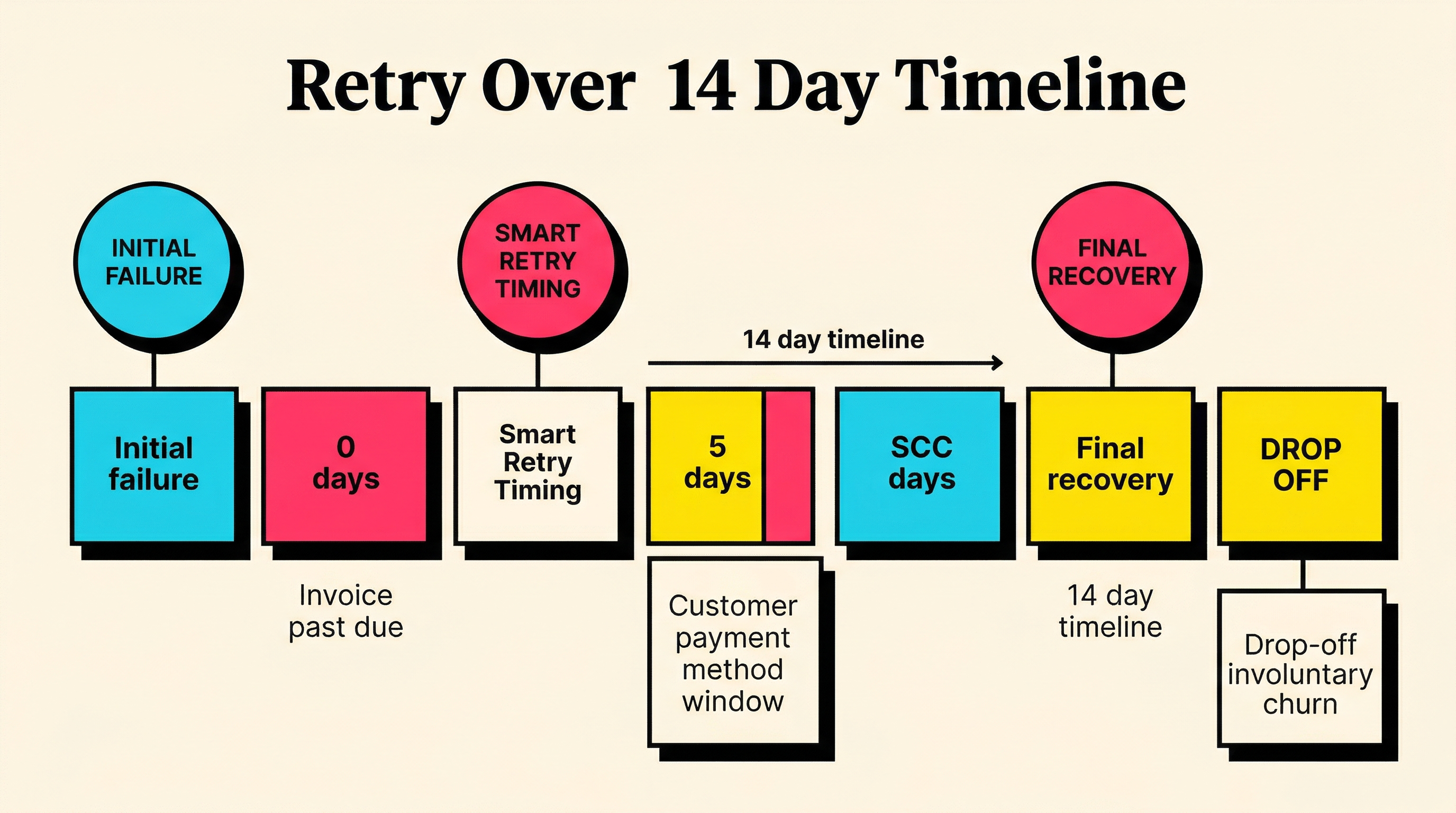
A retry works best when the original failure was temporary. Insufficient funds, transient issuer issues, and some generic declines can recover nicely if you hit the next attempt at the right time. That usually means respecting payroll cycles, banking hours, and enough delay for the customer or bank situation to change.
A retry works badly when the issue requires customer action. Expired card. Authentication required. Closed account. Stolen card. In those cases, firing five more attempts is just expensive optimism.
This is where a lot of founders misunderstand failed payment recovery. They think more retries equals more revenue. Usually, better classification equals more revenue.
Your recovery logic should answer two questions fast:
- Is this likely to succeed later without the customer doing anything?
- If not, what is the shortest path to getting the customer to update the payment method?
If you cannot answer those questions, you are not running payment recovery. You are gambling with delays.
Step 6: dunning either helps or makes things worse
Dunning is just the communication layer around failed payment recovery. Done well, it saves revenue. Done badly, it makes an already annoying moment feel shady or broken.
The customer experience usually goes wrong in one of three ways:
- the email arrives with no useful explanation
- the tone sounds threatening too early
- the customer is told to update payment details with no clear path to do it
A decent dunning flow does the opposite. It explains the issue plainly, tells the customer what will happen next, and gives them one obvious action to fix it.
For example:
- first message: payment did not go through, we will retry automatically
- second message: if the issue was your card, here is the update link
- final message: access may change on this date if the invoice stays unpaid
What matters is sequencing. If the problem is recoverable by retry alone, you do not need to scare the customer immediately. If the problem is clearly a dead card, you should not waste two days pretending Smart Retries will save you.
The failed payment prevention checklist covers some of the setup work that stops these messes before renewal day even arrives.
Step 7: the customer either updates payment details or drifts
This is the human step in the anatomy, and it is where intent becomes visible.
A customer who wants to stay will usually do one of four things:
- update the card after the first or second reminder
- complete the authentication step if prompted clearly
- reply to support because finance needs to approve the charge
- do nothing for a few days, then pay once funds are available
A customer who is halfway out the door looks different. They ignore the emails, keep using the product while access remains open, and only react when access gets interrupted. Sometimes they were going to cancel anyway. Sometimes the failed payment becomes the accidental off-ramp.
That is why failed payments and voluntary churn are not neatly separate buckets. A billing failure can expose weak product value, poor onboarding, or low urgency. If the customer loves the product, they fix the card fast. If they are already disengaged, the failed payment finishes the job.
Founders hate hearing this because it means billing recovery is partly an operational problem and partly a product signal. But that is the truth.
Step 8: recovery happens, or the account ages into churn
From here, the path splits.
Best case, the customer updates their card or a retry succeeds. The invoice is paid. Subscription status normalizes. Revenue is recovered. Depending on how quickly that happened, the customer may never even feel real friction.
Worst case, the invoice stays unpaid through the retry window and grace period. Then one of several end states kicks in:
- subscription is paused
- subscription is canceled
- access is restricted until payment is resolved
- the debt remains open but the customer effectively churns
This is the moment where a recoverable billing issue becomes actual involuntary churn. The transition is important because it marks the point where customer intent matters less than accumulated system outcomes. Enough time passed. Enough reminders were sent. Enough retries failed. Revenue is gone unless the customer comes back later.
For reporting, this is where you want a clean split between:
- temporary failed payments still inside recovery window
- recovered failed payments
- true involuntary churn caused by unresolved billing failure
If those buckets are blurred, your churn reporting lies. And once your reporting lies, your retention decisions get dumb fast.
The practical takeaway for founders
If you want to manage failed payments properly, stop treating them as isolated billing errors. They are a system with inputs, states, triggers, and exits.
The practical checklist looks like this:
- track invoice, subscription, and payment-attempt states separately
- capture and segment by decline code
- distinguish temporary failures from customer-action-required failures
- use retry timing that matches likely recovery windows
- write dunning emails that explain what happens next
- decide exactly when an unpaid account becomes true churn
- review recovery performance as its own funnel, not as a footnote inside churn
That last one matters a lot. Failed payment recovery is a funnel. Attempts happen. Messages go out. Some customers update. Some retries succeed. Some accounts age out. You need to know where the drop-off is.
Because here is the blunt version: when a payment fails, revenue is not dead yet. But it is bleeding. Every hour of confusion, every vague email, every dumb retry, and every missing status transition makes the bleed worse.
The founders who handle failed payments well do not just recover more cash. They run a calmer system. Support gets fewer nasty surprises. Finance gets cleaner numbers. Customers get a fair chance to fix the problem. And actual churn becomes easier to see because recoverable billing noise is no longer mixed into everything.
If you want to see where your Stripe setup is leaking recoverable revenue, run a free churn audit at churnbot.co/audit.
Related Posts

7 Failed Payment Segments Every Stripe Team Should Track
The Complete Toolkit for Managing Failed Payments
How healthy is your Stripe account?
Get a free churn health report. Find pending cancellations, failed payments, and expiring cards putting your MRR at risk.
Run Free Audit