The True Cost of Failed Payments for SaaS Businesses
Every month, SaaS companies lose revenue they already earned. Not to competitors. Not to product dissatisfaction. To failed credit card charges that silently cancel subscriptions and erode MRR. The cost of failed payments extends far beyond the face value of a single missed invoice. It compounds across customer lifetime value, operational overhead, brand perception, and growth trajectory.
If you run a subscription business on Stripe, understanding the true cost of failed payments is the first step toward plugging one of the most preventable revenue leaks in your business.
What Are Failed Payments and Why Do They Happen?
A failed payment occurs when a recurring charge attempt is declined by the card network, issuing bank, or payment processor. In Stripe, these show up as charge.failed events with specific decline codes that indicate the reason.
The most common causes include:
- Insufficient funds - The customer's account doesn't have enough balance
- Expired cards - The card on file has passed its expiration date
- Bank-initiated declines - Fraud filters, spending limits, or regional blocks
- Network errors - Temporary connectivity issues between payment processors
- Card updater failures - When automatic card updates from Visa/Mastercard don't propagate
Industry data shows that 10-15% of all recurring payment attempts fail on any given billing cycle. For a SaaS company processing $100K in monthly recurring charges, that's $10K-$15K at risk every single month before you even consider the downstream effects.
The critical distinction here is between "soft" declines (temporary issues like insufficient funds or network errors) and "hard" declines (permanent issues like closed accounts or invalid card numbers). Soft declines are recoverable with smart retry logic. Hard declines require customer intervention.
The Direct Revenue Impact: More Than Just One Missed Payment
The most obvious cost of failed payments is the lost revenue from the charge itself. But the math is far worse than most founders realize.
The Compounding Effect
When a $50/month subscription payment fails and isn't recovered, you don't just lose $50. You lose:
- $50 for the immediate failed charge
- $600 in annual revenue from that subscription
- $1,500-$3,000 in customer lifetime value (assuming 2.5-5 year average SaaS customer lifespan)
- $200-$500 in customer acquisition cost that's now wasted
A single unrecovered failed payment can represent $2,000+ in total economic impact. Multiply that across dozens or hundreds of failed charges per month, and you're looking at a revenue leak that dwarfs most SaaS marketing budgets.
The MRR Erosion Problem
Failed payments create a specific type of churn called involuntary churn. Unlike voluntary churn, where a customer actively decides to cancel, involuntary churn happens passively. The customer didn't choose to leave. Their payment method simply stopped working.
Research consistently shows that involuntary churn accounts for 20-40% of total churn in subscription businesses. For many SaaS companies, especially those with lower-touch, self-serve models, involuntary churn can be the single largest category of customer loss.
The insidious part: involuntary churn often flies under the radar. Your churn dashboard shows customers leaving, but unless you're tracking the reason codes, you might attribute it to product issues or market fit problems when the real cause is a preventable payment failure.
If your MRR reporting isn't distinguishing between voluntary and involuntary churn, you're making strategic decisions based on incomplete data.
The Hidden Operational Costs
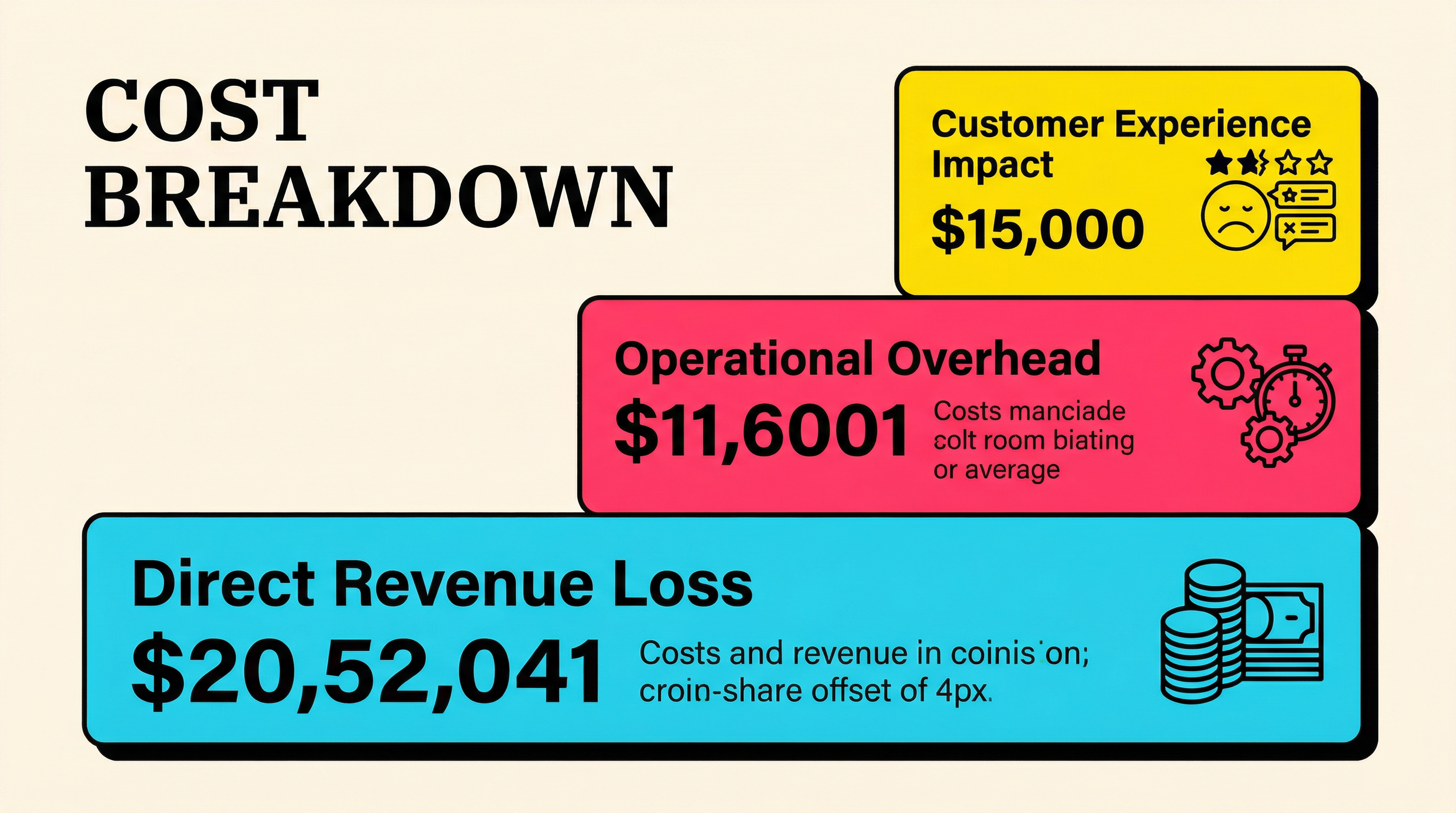
Beyond direct revenue loss, failed payments create operational drag that costs real money and real time.
Support Ticket Volume
When a payment fails and access is revoked or degraded, customers contact support. They're confused, sometimes frustrated, and often unaware their card was declined. Each of these interactions costs:
- $5-$25 per ticket in direct support costs (staff time, tools)
- 15-30 minutes of support agent time per resolution
- Increased response times across your entire support queue
For a SaaS with 1,000 subscribers and a 12% monthly failure rate, that's potentially 120 payment-related tickets per month. At $15 per ticket, that's $1,800/month in support costs directly attributable to failed payments.
Engineering and Product Time
Failed payments create technical overhead:
- Building and maintaining retry logic
- Implementing dunning email sequences
- Creating in-app payment update flows
- Monitoring webhook reliability for payment events
- Debugging edge cases (partial failures, currency issues, 3D Secure challenges)
Many early-stage SaaS teams spend 40-80 engineering hours per quarter managing payment failure infrastructure. At $100-$150/hour fully loaded engineering cost, that's $4,000-$12,000 per quarter in developer time that could be spent on product development.
Finance and Accounting Complexity
Failed payments complicate revenue recognition, especially for SaaS companies following ASC 606 or IFRS 15 standards. Your finance team (or your accountant) needs to:
- Reconcile partially paid periods
- Handle proration for mid-cycle cancellations due to payment failure
- Track revenue recovery separately from new revenue
- Manage refund and credit note workflows for customers who were incorrectly charged after a failed payment was resolved
The Customer Experience Cost
Failed payments don't just cost you money directly. They damage the customer relationship in ways that are hard to quantify but very real.
The Access Disruption Problem
When a payment fails and your system automatically downgrades or locks a customer's account, you've just created a negative experience for someone who wanted to keep paying you. They wake up, try to log in to your tool for an important task, and find their access restricted.
This is particularly damaging because:
- The customer didn't do anything wrong. Their bank declined a charge, or their card expired. They feel punished for something outside their control.
- The timing is always bad. Customers discover access issues when they need your product, which is exactly when frustration peaks.
- Trust erodes quickly. A single access disruption can shift a customer's perception from "essential tool" to "unreliable service."
The Re-engagement Challenge
Even when you recover a failed payment, the customer experience during the gap matters. Studies on subscription services show that customers who experience a service interruption due to payment failure are 2-3x more likely to voluntarily churn within the following 6 months compared to customers who never experienced an interruption.
The failed payment didn't just risk losing the revenue. It planted a seed of doubt about the reliability of your service. That seed grows every time the customer considers whether to keep paying.
Brand Perception and Word of Mouth
In B2B SaaS, reputation travels fast. A customer who had their access cut due to a payment processing issue will mention it to colleagues. Not as a horror story, but as a data point. "Yeah, we use [Tool X], but their billing is kind of janky." That casual comment influences buying decisions in ways that never show up in your analytics.
Calculating the True Cost: A Framework
To understand the full cost of failed payments in your specific business, you need to calculate across four dimensions:
1. Direct Revenue Loss
Monthly failed charges × average subscription value × (1 - recovery rate) = Monthly direct loss
Example: 150 failed charges × $75 average × (1 - 0.65 recovery rate) = $3,937.50/month in unrecovered revenue
2. Lifetime Value Destruction
Unrecovered churned customers × average customer lifetime value = LTV destroyed
Example: 52 permanently churned customers × $2,400 LTV = $124,800/year in destroyed lifetime value
3. Operational Overhead
Support costs + engineering time + finance complexity = Quarterly operational cost
Example: $5,400/quarter support + $8,000/quarter engineering + $2,000/quarter finance = $15,400/quarter
4. Acquisition Cost Waste
Unrecovered churned customers × customer acquisition cost = Wasted CAC
Example: 52 customers × $350 CAC = $18,200/year in wasted acquisition spend
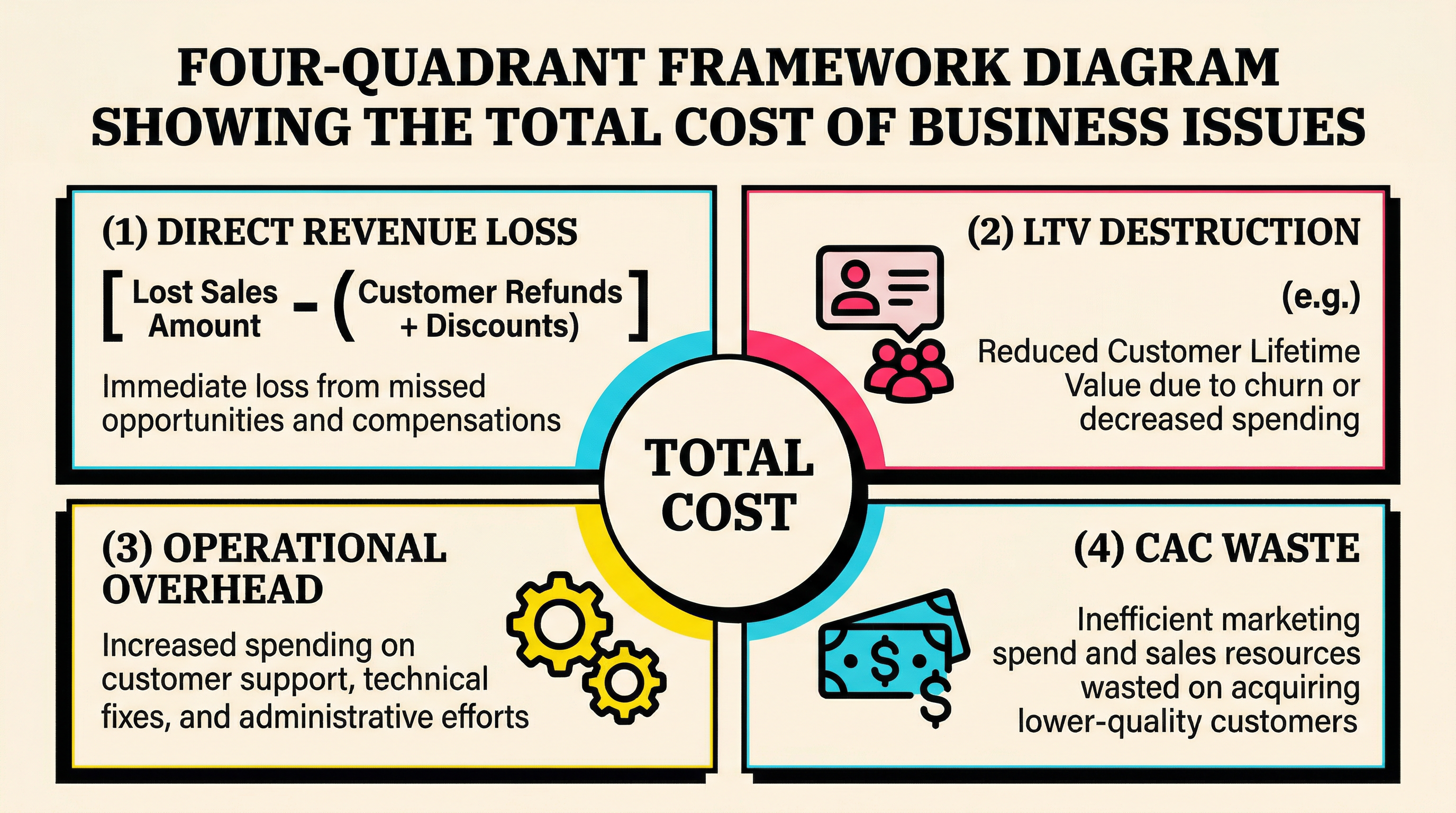
Total annual cost in this example: $249,050 for a mid-size SaaS company. And this is a conservative estimate that doesn't account for the compounding effects on growth rate, the opportunity cost of engineering time, or the brand damage from service interruptions.
Why Most SaaS Companies Underestimate This Problem
There are several structural reasons why the cost of failed payments stays hidden:
Reporting Blind Spots
Most SaaS dashboards track top-level churn but don't break it down by cause. When you see "47 customers churned this month," you might assume they all left because of product or pricing issues. In reality, 15-20 of them might have churned involuntarily due to payment failures.
Without granular payment recovery benchmarks, you can't even tell if your recovery rate is good, bad, or terrible compared to industry standards.
The "Stripe Handles It" Assumption
Many founders assume Stripe's built-in retry logic and Smart Retries feature handles failed payments adequately. While Stripe's default behavior does retry some failed charges, the recovery rate with default settings alone is typically 15-25%.
Compare that to companies with optimized recovery flows (custom retry schedules, dunning email sequences, in-app update prompts, pre-dunning notifications) that achieve 60-80% recovery rates. The gap between "default Stripe" and "optimized recovery" represents thousands of dollars per month for most subscription businesses.
The Slow Bleed Effect
Failed payments don't create dramatic, obvious crises. They create a slow, steady drip of lost revenue. You don't notice the frog boiling because each individual failed payment is small. But aggregate them over a quarter or a year, and the impact is staggering.
This is why periodic audits of your payment health are so valuable. When you look at the numbers in aggregate, the pattern becomes impossible to ignore.
The Recovery Rate: Your Most Important Payment Metric
Your payment recovery rate (the percentage of failed payments you successfully recover) is arguably the most important billing metric in your business. Here's why:
Recovery Rate Benchmarks
- Below 30%: You're likely relying on Stripe defaults only. Significant revenue leakage.
- 30-50%: You have basic retry logic but limited dunning. Room for improvement.
- 50-70%: You have a solid recovery flow with email and possibly in-app prompts.
- Above 70%: You have an optimized, multi-channel recovery system. Top quartile.
The Math of Improvement
Improving your recovery rate by just 10 percentage points has an outsized impact:
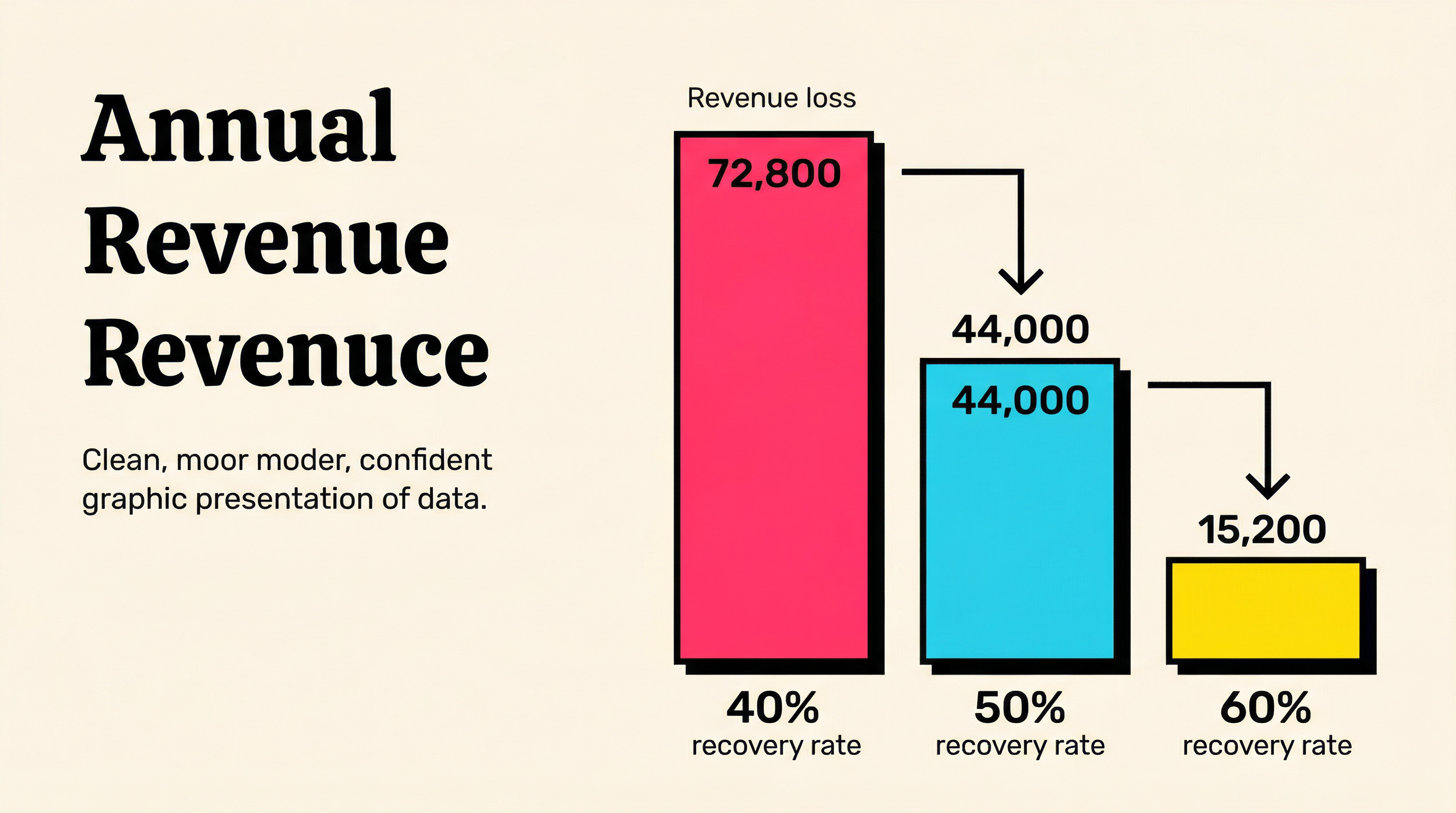
For a SaaS with $200K MRR and 12% monthly failure rate:
- Monthly failed charges: $24,000
- At 40% recovery: $14,400 lost/month ($172,800/year)
- At 50% recovery: $12,000 lost/month ($144,000/year)
- At 60% recovery: $9,600 lost/month ($115,200/year)
Moving from 40% to 60% recovery saves $57,600 per year. That's a full-time employee's salary recovered from revenue you were already earning.
Seven Strategies to Reduce the Cost of Failed Payments
Understanding the problem is step one. Here's what to do about it:
1. Implement Smart Retry Timing
Not all retry attempts are equal. Retrying a charge at 2 AM on a Sunday has a different success rate than retrying at 10 AM on a weekday (payday). Analyze your historical data to identify the optimal retry windows for your customer base.
Best practice: retry soft declines 3-5 times over 7-14 days, with attempts spread across different days and times. Avoid retrying hard declines (they won't succeed and can trigger processor flags).
2. Build a Multi-Touch Dunning Sequence
Email is the primary dunning channel, but don't rely on it alone:
- Email 1 (Day 1): Friendly notification that the payment failed, with a one-click update link
- Email 2 (Day 3): Reminder with clear instructions on how to update payment details
- Email 3 (Day 7): Urgency messaging about upcoming account changes
- In-app banner: Persistent notification when the customer logs in
- SMS (optional): For high-value customers, a text message can dramatically improve recovery
3. Pre-Dunning: Stop Failures Before They Happen
The cheapest failed payment to recover is the one that never happens. Pre-dunning strategies include:
- Monitoring card expiration dates and notifying customers 30 days before expiry
- Using Stripe's Automatic Card Updater to refresh expired card details automatically
- Sending payment reminder emails 3-5 days before the billing date
- Offering multiple payment methods (ACH/SEPA as backup to card)
4. Optimize Your Payment Update Flow
When a customer needs to update their card, make it frictionless:
- Direct link to a pre-authenticated payment update page (no login required)
- Mobile-optimized form (60%+ of update actions happen on mobile)
- Clear, non-threatening messaging about why the update is needed
- Immediate confirmation when the update succeeds
5. Segment Your Recovery Approach
Not all failed payments deserve the same treatment. A $500/month enterprise customer warrants a personal phone call. A $9/month self-serve customer needs an automated flow. Segment by:
- Customer value (MRR contribution)
- Decline reason (soft vs. hard)
- Customer tenure (new vs. long-term)
- Engagement level (active vs. dormant)
6. Monitor and Alert on Payment Health Metrics
Set up dashboards and alerts for:
- Daily/weekly failure rate trends
- Recovery rate by decline code
- Time-to-recovery distribution
- Involuntary churn as a percentage of total churn
- Revenue at risk (sum of unresolved failed charges)
7. Conduct Regular Payment Audits
Quarterly (at minimum), review your payment performance holistically:
- Are failure rates increasing or decreasing?
- Which decline codes are most common?
- How does your recovery rate compare to benchmarks?
- Are there customer segments with disproportionately high failure rates?
- Is your dunning sequence still performing, or has engagement dropped?
The ROI of Fixing Failed Payments
Here's what makes addressing the cost of failed payments such a compelling investment: the ROI is immediate and measurable.
Unlike marketing spend (where attribution is murky) or product development (where impact is delayed), payment recovery improvements show results within 30 days. You can directly measure the before-and-after recovery rate and calculate the exact revenue saved.
For most SaaS companies, investing in payment recovery infrastructure yields 5-10x ROI within the first quarter. It's one of the few growth levers that pays for itself almost immediately.
Consider this: if you're spending $10,000/month on customer acquisition to add $15,000 in new MRR, but losing $5,000/month to preventable involuntary churn, you're working three times harder than you need to. Fixing the leak is cheaper and faster than filling the bucket.
What This Means for Your Business
The true cost of failed payments for SaaS businesses isn't just the sum of missed charges. It's the compounding impact across revenue, operations, customer experience, and growth. For a mid-size SaaS company, this easily reaches six figures annually, often more than the entire marketing budget.
The good news: this is one of the most solvable problems in SaaS. Unlike product-market fit or competitive positioning, reducing involuntary churn is a known, repeatable playbook. The tools and strategies exist. It's a matter of prioritizing them.
Start by understanding where you stand. Run a free churn audit to see exactly how much revenue your Stripe account is leaking to failed payments, and get specific recommendations for your recovery flow. It takes five minutes, and the number might surprise you.
Related Posts
Stripe Do Not Honor Recovery: What SaaS Teams Should Do Next

7 Payment Recovery KPIs Every Stripe Team Should Track

7 Failed Payment Segments Every Stripe Team Should Track
How healthy is your Stripe account?
Get a free churn health report. Find pending cancellations, failed payments, and expiring cards putting your MRR at risk.
Run Free Audit