Why Your MRR Dashboard Is Lying to You About Churn

You check your MRR dashboard every morning. The number goes up, you feel good. The number dips, you panic. But here's the uncomfortable truth: that number is almost certainly misleading you about how much churn is actually eating your business.
Most SaaS dashboards treat churn as a single, clean metric. In reality, churn is messy, multi-layered, and often hidden behind timing quirks, billing cycles, and reporting gaps that make your revenue picture look rosier than it is.
This post breaks down exactly where MRR churn reporting falls apart, what your dashboard is missing, and how to fix it so you're making decisions on real numbers.
The MRR Snapshot Problem
Most billing systems calculate MRR by taking a snapshot at the end of each month. They count active subscriptions, multiply by their monthly value, and call it done.
The problem: this snapshot misses everything that happened between snapshots.
Consider this scenario. A customer's payment fails on March 3rd. Their subscription enters a grace period. On March 18th, a retry succeeds and the payment goes through. Your end-of-month MRR snapshot shows this customer as active. No churn recorded.
But for 15 days, that customer was at risk. Their payment had failed. They might have been using your product without paying. And if the retry hadn't worked, you would have lost them entirely, with the churn only showing up in April's numbers.
This is the snapshot problem: your MRR dashboard only sees the world at month-end, missing the turbulence in between.
What Gets Lost in the Gaps
Between monthly snapshots, several things happen that your dashboard doesn't capture:
- Failed payments that retry successfully: These never register as churn events, even though they represent real revenue risk.
- Downgrades that happen mid-cycle: A customer who downgrades on the 5th and the dashboard only catches the lower plan at month-end. You lose visibility into when the decision happened.
- Cancellations with remaining billing periods: A customer cancels on March 10th but their subscription runs until March 31st. March shows no churn. April takes the full hit.
- Reactivations within the same period: A customer churns and comes back in the same month. Net effect: zero churn in the dashboard. But operationally, you had a customer leave and had to win them back.
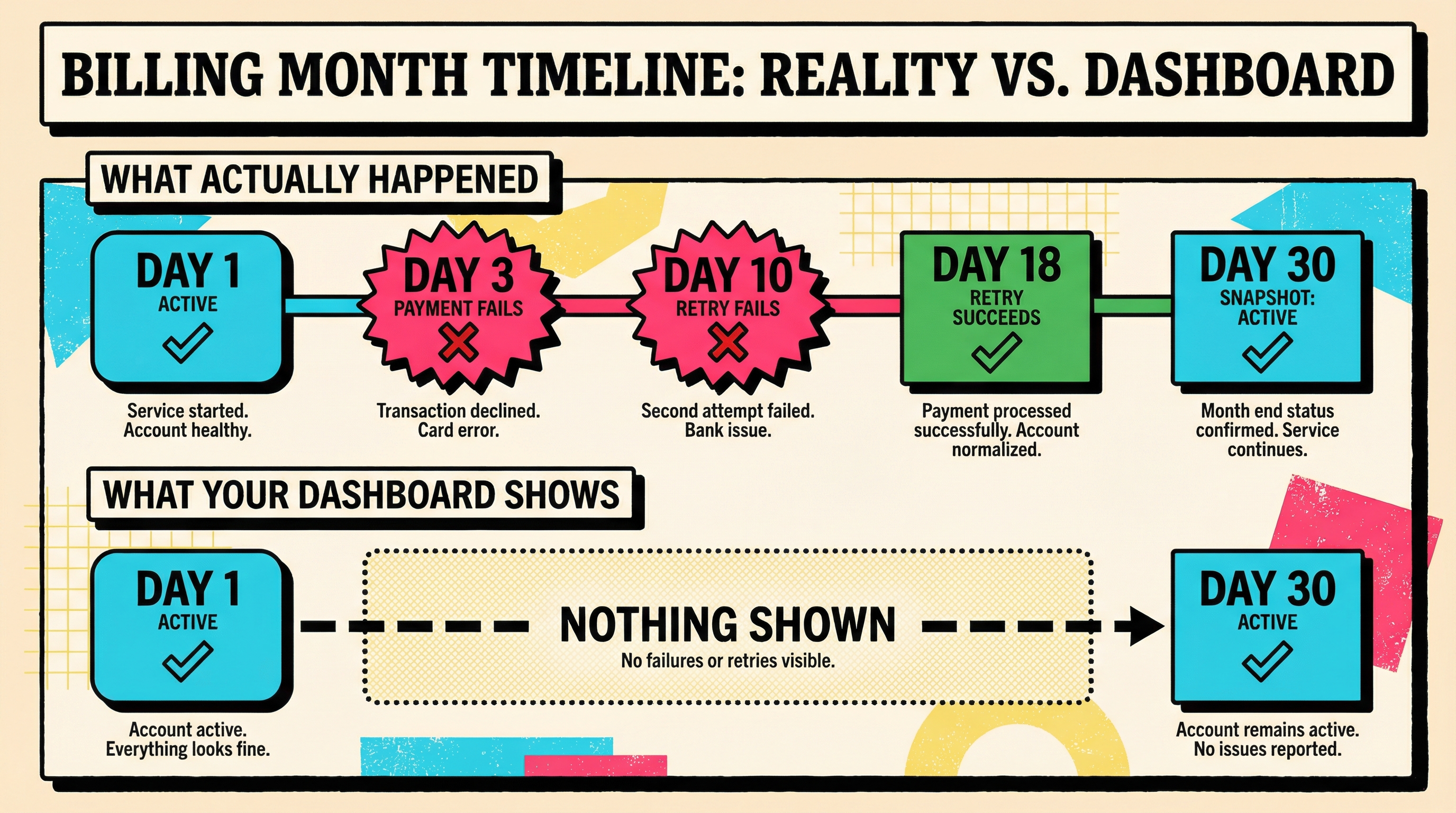
Each of these gaps creates a false sense of stability. Your MRR line looks smooth, but the underlying subscription health is far more volatile than the chart suggests.
Gross Churn vs Net Churn: The Number That Hides Losses
Many dashboards default to showing net MRR churn, which is gross churn minus expansion revenue. This is a useful metric for investor updates, but it's a terrible metric for diagnosing churn problems.
Here's why: expansion revenue from existing customers masks the customers you're losing.
Say you lose $5,000 in churned subscriptions but gain $6,000 in upgrades from remaining customers. Your net churn is negative $1,000, which looks amazing. Your dashboard shows "negative churn" and you feel like a genius.
But you still lost customers worth $5,000 in revenue. Those are real people who decided your product wasn't worth paying for anymore. The fact that other customers upgraded doesn't change the underlying retention problem.
The Compounding Effect
Gross churn compounds over time in ways that net churn obscures. If you're losing 5% of customers monthly but covering it with expansion, you might feel safe. But you're running on a treadmill that gets faster every month.
After 12 months at 5% monthly gross churn, you've lost 46% of the customers you started with. You've replaced them with expansion, sure. But your customer base is increasingly concentrated in fewer, larger accounts. That concentration risk doesn't show up in your MRR dashboard.
The fix: always track gross churn separately. Make it a first-class metric that sits alongside your net numbers. When gross churn trends up, treat it as an early warning, even if net churn still looks healthy.
Involuntary Churn: The Category Your Dashboard Probably Ignores
Most MRR dashboards don't distinguish between voluntary and involuntary churn. A cancellation and a failed payment expiry look identical in the numbers: a subscription that was active and now isn't.
But operationally, they're completely different problems requiring completely different solutions.
Voluntary churn means a customer actively decided to leave. They found a competitor, outgrew your product, or decided the ROI wasn't there. Fixing this requires product improvements, better onboarding, or market repositioning.
Involuntary churn means a customer left because their payment failed and was never recovered. Their card expired. Their bank flagged the charge. They hit a credit limit. The customer may still want your product but billing friction pushed them out.
Industry data suggests that 20-40% of all SaaS churn is involuntary. That's a massive chunk of lost revenue caused not by product-market fit problems, but by payment infrastructure failures.
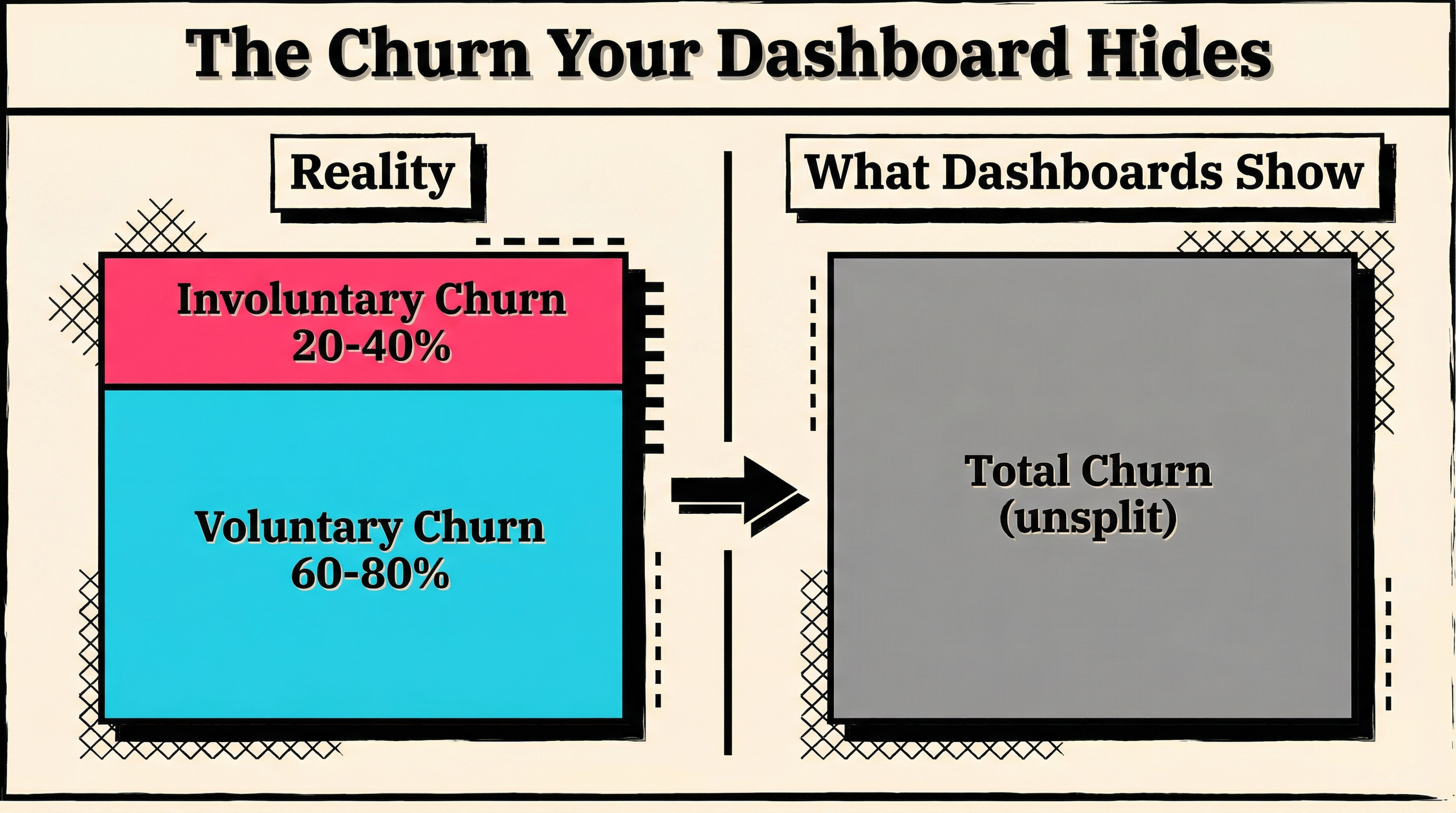
When your dashboard lumps these together, you can't prioritize correctly. You might spend months redesigning your onboarding flow when the real problem is that 30% of your churn comes from expired credit cards that nobody followed up on.
How to Split the Numbers
To separate voluntary from involuntary churn in your reporting:
- Tag cancellation reasons in your billing system. Stripe lets you store cancellation reasons. Use them. If a subscription ended because of payment failure (status:
incomplete_expiredorpast_duetocanceled), that's involuntary. - Track payment failure rates separately. Monitor what percentage of charges fail each month and what percentage of those are recovered. This is your involuntary churn rate in formation.
- Build separate dashboards. One for voluntary churn (product problem), one for involuntary churn (payment problem). Different teams should own each.
The Timing Lag Problem
When does churn actually happen? This sounds like a simple question, but the answer varies depending on how your dashboard counts it.
Some systems count churn at cancellation request time. Others count it when the subscription period ends. Others count it when the final payment fails after all retries. And some count it when a manual review marks the subscription as lost.
This means two dashboards looking at the same Stripe account can show different churn numbers for the same month. And neither is necessarily wrong. They're just measuring different moments in the churn lifecycle.
The Grace Period Blind Spot
Stripe's default behavior gives failed payments multiple retry attempts over several weeks. During this retry window, the subscription is technically still active (status: past_due). Your MRR dashboard might still count these subscriptions as contributing revenue.
But should it? A subscription that's been past due for 21 days is not the same as a healthy, paying subscription. Yet in most dashboards, they look identical.
This creates an artificial lag. Your real churn happened weeks ago, but your dashboard won't reflect it until the grace period expires and Stripe finally cancels the subscription. By then, the opportunity to recover that customer may have passed.
A better approach: create a "revenue at risk" metric that flags subscriptions in past_due status. This gives you a leading indicator of churn before it becomes official in your MRR numbers.
Cohort Blindness: When Averages Hide the Story
Your MRR dashboard probably shows a single churn rate for your entire customer base. But churn behavior varies dramatically across different customer segments.
- By acquisition channel: Customers from organic search might retain at 95% while customers from a lifetime deal campaign retain at 60%.
- By plan tier: Free-to-paid converts might churn at 2x the rate of direct-to-paid customers.
- By company size: Enterprise customers with annual contracts churn differently than SMBs on monthly billing.
- By tenure: Month 2 churn is very different from month 12 churn.
When you blend all of these into a single churn number, you get an average that doesn't describe any actual customer segment accurately. It's too optimistic for your worst segments and too pessimistic for your best ones.
The Practical Impact
Say your overall monthly churn rate is 4%. That might break down as:
- Enterprise annual: 0.5% monthly
- SMB monthly: 7% monthly
- Trial converts: 12% monthly (first 3 months)
A 4% blended rate tells you nothing useful. The enterprise segment is healthy. The SMB segment needs attention. And your trial conversion funnel has a serious retention gap that gets diluted in the average.
To fix this: segment your MRR churn reporting by at least plan tier and customer tenure. Most billing analytics tools support cohort analysis. If yours doesn't, export your Stripe data and build it in a spreadsheet. The insight is worth the effort.
Revenue Timing Mismatches
Annual subscriptions create a specific reporting distortion that monthly MRR calculations handle poorly.
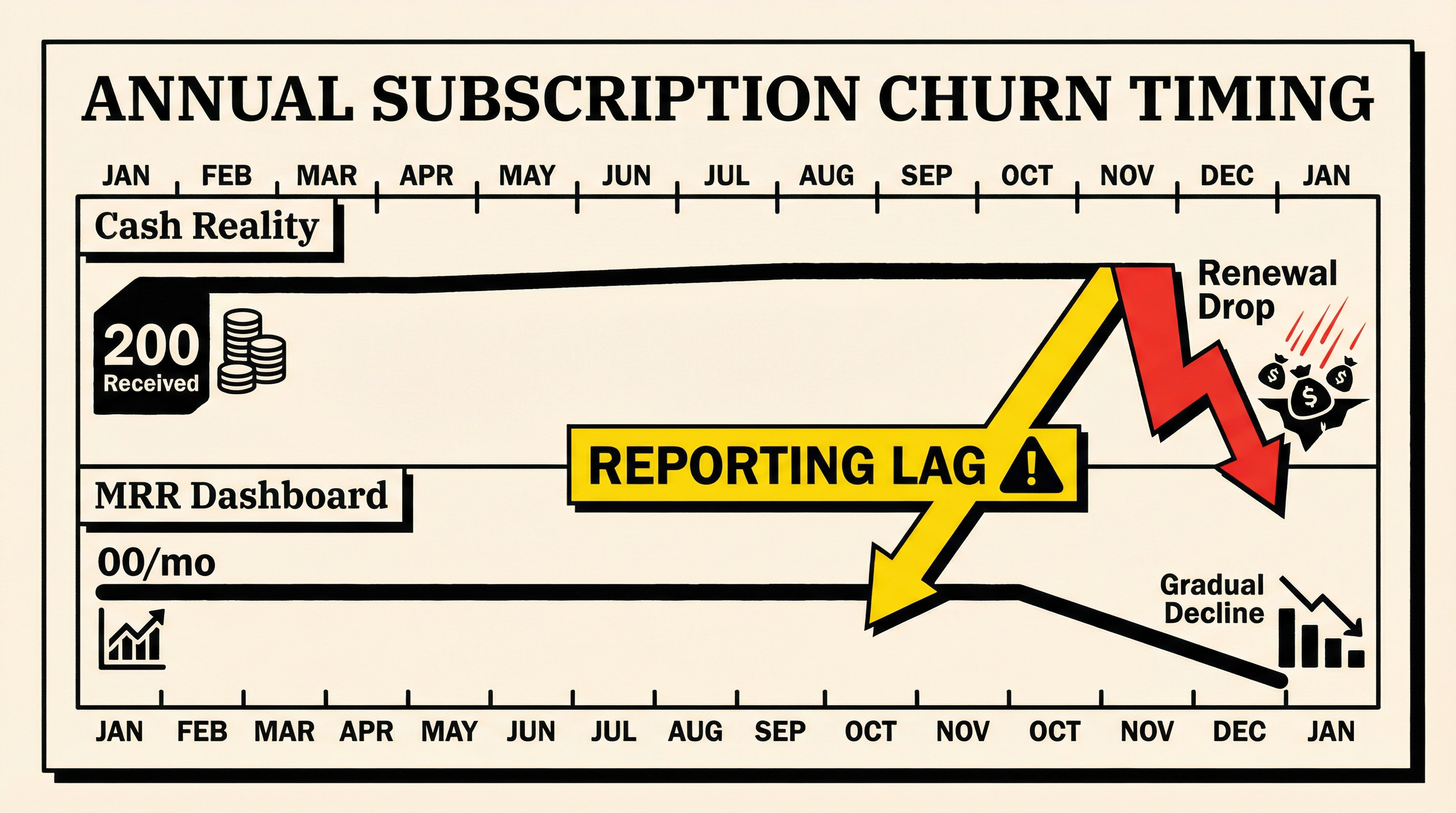
When an annual customer pays $1,200 upfront, your dashboard shows $100/month in MRR. Clean and simple. But when that customer churns at renewal, you lose $100/month in MRR. The dashboard shows a gradual, manageable loss.
The cash reality is different. You received $1,200 twelve months ago. You're not getting another $1,200. The economic impact hit your business all at once, even though your MRR chart spreads the pain across future months.
This gets worse with mixed billing cycles. If 40% of your revenue is annual and 60% is monthly, your MRR churn rate blends two very different economic realities. Annual churn has a larger per-event revenue impact that gets smoothed away in the monthly calculation.
What to Do About It
Track both MRR churn and ARR churn separately. MRR gives you the normalized monthly view. ARR gives you the actual economic impact. When they diverge significantly, you're probably seeing the annual billing distortion at work.
Also track "upcoming renewals at risk" for annual customers. A customer whose usage dropped 80% six months into their annual contract will probably churn at renewal. Your MRR dashboard won't flag this until month 13. By then, it's too late.
The Contraction Blind Spot
Downgrades are churn's sneaky cousin. A customer who moves from your $200/month plan to your $50/month plan didn't churn in the traditional sense. They're still a customer. But you lost $150/month in revenue.
Many dashboards track this as "contraction MRR" but bury it in the expansion calculation. Net expansion = upgrades minus downgrades. If upgrades outpace downgrades, the number looks positive and the downgrades disappear from attention.
But downgrades are often a leading indicator of full churn. Research consistently shows that customers who downgrade are significantly more likely to cancel entirely within 6 months. If you're not tracking downgrades as a churn precursor, you're missing an early warning system.
Track Contraction Separately
Build a contraction report that shows:
- Number of downgrades per month
- Revenue impact of downgrades
- Time from downgrade to cancellation (for those who eventually churn)
- Most common downgrade paths (which plans lose customers to which)
This gives you a view into revenue erosion that pure churn metrics miss. And it gives your product team actionable data about which plan features aren't delivering enough value.
Building a More Honest Dashboard
So how do you fix MRR churn reporting to tell you the truth? Here's a practical framework:
1. Split gross and net churn. Always show both. Net churn is your investor metric. Gross churn is your operational metric.
2. Separate voluntary and involuntary churn. Tag every churn event by cause. Track them independently. Assign different teams to fix each.
3. Add a "revenue at risk" metric. Flag subscriptions in past_due status and track their recovery rate. This is your early warning system for payment failures.
4. Segment by cohort. At minimum: plan tier, billing cycle (monthly vs annual), and customer tenure. Look at each segment's churn rate independently.
5. Track contraction MRR separately. Don't let downgrades hide inside net expansion. They're a churn signal.
6. Measure at the right granularity. Monthly snapshots miss too much. Weekly or even daily churn tracking gives you faster signal.
7. Compare MRR churn to ARR churn. When they diverge, investigate. The gap usually points to billing cycle distortions.
The Data You Need from Stripe
If you're running on Stripe, here are the specific data points to pull for honest churn reporting:
- Subscription status changes: Track every transition from
activetopast_due,past_duetocanceled, andactivetocanceled. Timestamp each transition. - Invoice payment attempts: Every failed charge, every retry, every recovery. This feeds your involuntary churn tracking.
- Cancellation metadata: Use Stripe's cancellation reason field. If you're not populating this, start now.
- Plan changes: Every upgrade and downgrade, with timestamps and revenue delta.
- Customer creation date: Essential for cohort analysis and tenure-based churn segmentation.
Pulling this data manually from Stripe's dashboard is tedious but possible. For ongoing monitoring, you'll want to use Stripe webhooks or a dedicated analytics tool.
What Honest Numbers Actually Look Like
Once you've fixed your reporting, expect your churn numbers to look worse than they did before. That's not because your business got worse. It's because you're finally seeing the full picture.
Typical before-and-after when SaaS companies fix their churn reporting:
- Net MRR churn (old): 1.5% monthly
- Gross MRR churn (actual): 4.2% monthly
- Involuntary churn contribution: 35% of gross churn
- Revenue at risk (past due at any point): 8% of MRR monthly
- Contraction MRR: Additional 1.8% monthly revenue erosion
Those numbers look scarier. But they're also more actionable. You can now see that a third of your churn is involuntary (fixable with better payment recovery), that contraction is a meaningful revenue leak, and that your revenue-at-risk is much higher than your churn rate suggests.
Stop Flying Blind
Your MRR dashboard isn't lying to you on purpose. It's just giving you a simplified view that smooths over the messy reality of subscription billing. For a board slide, that simplification is fine. For running your business, it's dangerous.
The difference between SaaS companies that fix churn and those that don't usually comes down to measurement. You can't fix what you can't see. And if your dashboard is showing you a sanitized version of churn, you're optimizing against the wrong numbers.
Start by splitting voluntary and involuntary churn. That single change will show you how much revenue you're losing to payment failures, which is often the cheapest churn problem to fix.
Want to see exactly how much involuntary churn is hiding in your Stripe account? Run a free churn audit and get the real numbers in under two minutes.
Related Posts
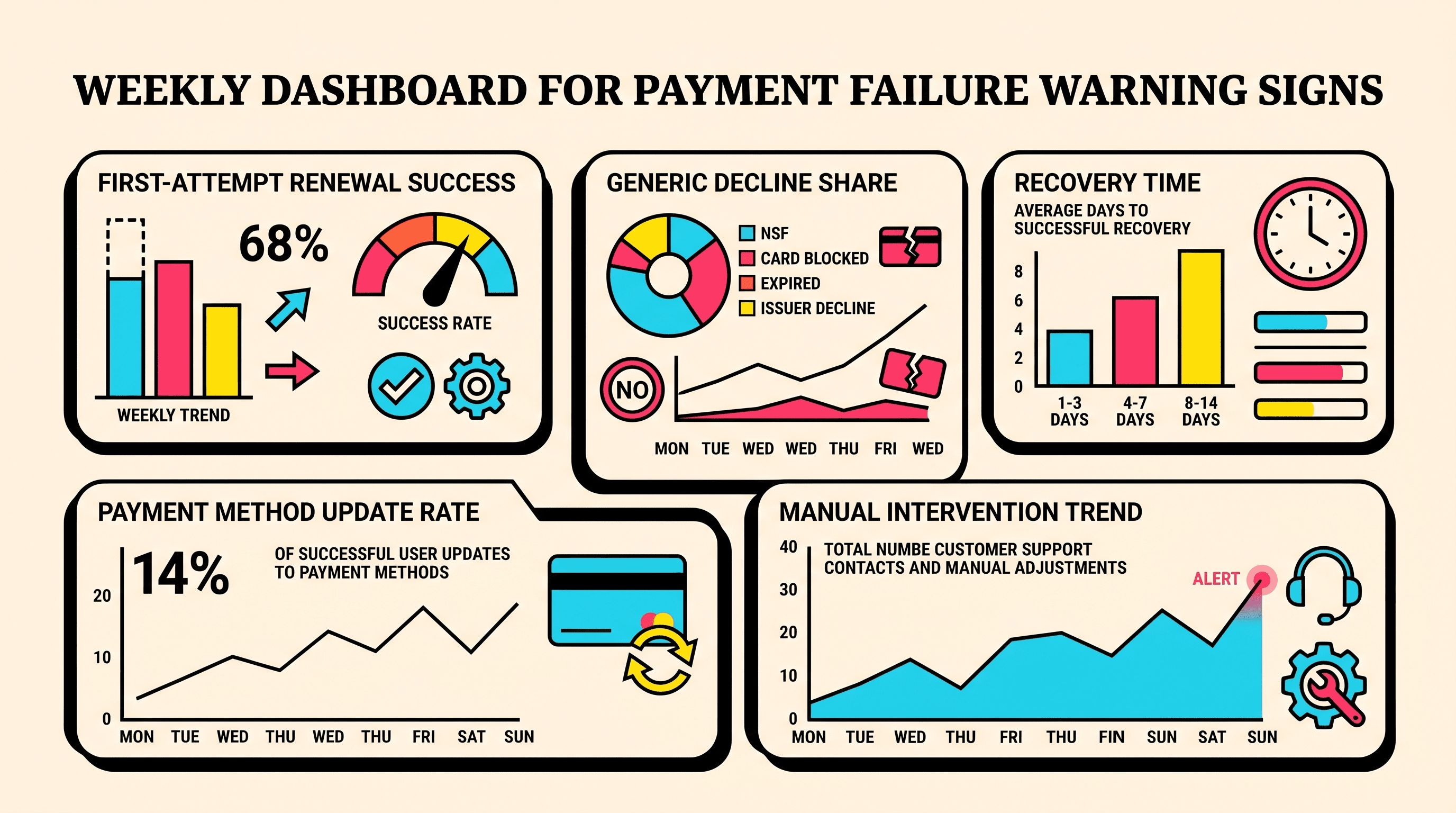
10 Early Warning Signs of Growing Payment Failure Risk
Regional Payment Failure Patterns: What the Data Shows

How healthy is your Stripe account?
Get a free churn health report. Find pending cancellations, failed payments, and expiring cards putting your MRR at risk.
Run Free Audit