9 Free Tools for Tracking Subscription Payment Health

Every SaaS founder knows the gut punch of opening Stripe and seeing a string of failed payments. But here is the thing most people miss: by the time you notice those failures in your dashboard, the damage is already done. Customers have churned silently, and revenue has leaked for weeks.
The good news? You do not need expensive tools to stay on top of your subscription payment health. There are solid free options that give you visibility into what is happening with your payments before problems compound.
Here are nine free subscription payment tracking tools that help you monitor and improve payment health without spending a cent.

1. Stripe Dashboard (Built-In Analytics)
The most obvious starting point is also the most underused. Stripe's built-in dashboard gives you more payment health data than most founders realize.
What it tracks:
- Payment success and failure rates over time
- Decline code breakdowns (insufficient funds, expired card, etc.)
- Subscription status distribution (active, past due, canceled)
- Revenue trends including MRR
Where founders go wrong: Most people glance at the top-line revenue number and move on. The real value is in the "Payments" tab where you can filter by status, see failure trends, and drill into specific decline codes. If you are seeing more than 5-8% of payments failing, that is a red flag worth investigating.
Pro tip: Set up Stripe's email alerts for failed payments. It is basic, but it keeps failures from going unnoticed for days. You can configure these under Settings > Emails.
The limitation? Stripe shows you what happened but does not tell you what to do about it. It is reactive, not proactive.
2. Stripe Sigma (SQL for Your Payment Data)
If you are comfortable with SQL, Stripe Sigma is one of the most powerful free subscription payment tracking tools in your arsenal. It lets you write custom queries against your entire Stripe dataset.
What makes it valuable:
- Query failed payments by decline reason, amount, customer segment, or time period
- Build custom payment health reports that Stripe's UI cannot produce
- Track recovery rates for specific decline codes over time
- Identify patterns like which day of the month has the highest failure rate
Example query to get you started:
SELECT
  decline_code,
  COUNT(*) as failure_count,
  SUM(amount) / 100 as total_lost_revenue
FROM charges
WHERE status = 'failed'
  AND created >= date_trunc('month', current_date)
GROUP BY decline_code
ORDER BY failure_count DESC;
This gives you a quick breakdown of what is causing failures this month and how much revenue is at stake. Stripe Sigma is free on Stripe's standard pricing, though some advanced features require Scale.
3. Google Sheets + Stripe API (DIY Dashboard)
For founders who want a custom payment health dashboard without any third-party tools, Google Sheets paired with the Stripe API is surprisingly effective.
How to set it up:
- Create a Google Apps Script that calls Stripe's API endpoints
- Pull key metrics: failed payment count, success rate, MRR, active subscriptions
- Schedule the script to run daily or weekly
- Build charts and conditional formatting to highlight problems
What to track in your spreadsheet:
- Daily payment success rate (target: 92-97%)
- Failed payment count by decline code
- Number of subscriptions in "past due" status
- Week-over-week trends for each metric
The beauty of this approach is full customization. You track exactly what matters to your business. The downside is maintenance. API changes, rate limits, and script debugging eat into your time.
4. Baremetrics Free Trial (Open Startups Dashboard)
Baremetrics offers a generous free trial that gives you a polished view of your Stripe subscription metrics. Even if you do not convert to a paid plan, the trial period is enough to establish baselines for your payment health.
Key metrics it surfaces:
- MRR, ARR, and revenue trends
- Churn rate broken down by voluntary and involuntary
- Failed charge tracking with recovery status
- Customer lifetime value and average revenue per user
Why it matters for payment health: Baremetrics separates involuntary churn (failed payments) from voluntary churn (cancellations). This distinction is critical because the fix for each is completely different. If 40% of your churn is involuntary, you have a payment infrastructure problem, not a product problem.
The free trial typically runs 14 days. Use it to snapshot your current payment health baseline, then decide if the ongoing cost is justified.
5. ProfitWell (Free Core Metrics)
ProfitWell (now Paddle Retain's analytics component) has historically offered free subscription analytics. Their core metrics dashboard connects to Stripe and provides:
What you get for free:
- Accurate MRR calculation including expansion and contraction
- Churn segmentation by type (delinquent vs. voluntary)
- Revenue recognition tracking
- Cohort analysis to see how payment health changes over customer lifetime
The payment health angle: ProfitWell's delinquent churn metric is specifically what you want. It tells you exactly how much revenue you are losing to failed payments versus customers who actively chose to leave. Their benchmarks feature also lets you compare your payment recovery rates against similar SaaS companies.
Watch the pricing model though. The free tier may be limited depending on when you sign up, as Paddle has been adjusting the offering since their acquisition.
6. Stripe Webhooks + Slack (Real-Time Alerts)
This is the DIY monitoring setup that punches way above its weight. By connecting Stripe webhooks to a Slack channel, you get real-time subscription payment tracking for free.
Webhook events to monitor:
invoice.payment_failed— A subscription payment failedcustomer.subscription.updated— Subscription status changed (watch forpast_due)charge.failed— Any charge attempt failedcustomer.source.expiring— A card is about to expire
How to set it up:
- Create a dedicated Slack channel (#payment-alerts)
- Use Zapier's free tier, Make.com, or a simple serverless function to receive webhooks
- Format the message to include customer email, amount, and decline code
- Add Slack emoji reactions to track follow-up status
Why this beats checking dashboards: You see failures the moment they happen, not the next time you log into Stripe. For early-stage SaaS with a manageable customer count, this is often enough to stay on top of payment health without any paid tools.
7. Grafana + Prometheus (For the Technical Founder)
If you are already running Grafana for application monitoring, extending it to track payment health is a natural fit.
What you can build:
- Real-time payment success rate gauge
- Failed payment trend lines with anomaly detection
- Decline code distribution pie charts
- Alert rules that fire when failure rates exceed your threshold
The setup: Create a simple service that polls Stripe's API on a schedule (every 5 minutes), extracts payment metrics, and exposes them as Prometheus metrics. Grafana picks them up and you get beautiful, real-time dashboards.
Example metrics to export:
stripe_payments_total{status="succeeded"}— total successful paymentsstripe_payments_total{status="failed"}— total failed paymentsstripe_subscriptions{status="past_due"}— subscriptions needing attentionstripe_payment_success_rate— calculated success percentage
This is the most flexible option on the list but requires the most technical investment. If you are already in the Grafana ecosystem, the marginal effort is small. If not, start with something simpler.
8. Metabase (Self-Hosted Analytics)
Metabase is an open-source business intelligence tool that you can point at your database (or connect directly to Stripe data exports). It is particularly good for founders who want to ask ad-hoc questions about their payment data.
Payment health questions Metabase can answer:
- Which customer segments have the highest failure rates?
- Is payment health improving or declining month over month?
- What percentage of failed payments eventually recover?
- How long does recovery typically take after a first failure?
How to use it for payments:
- Set up a nightly export of Stripe data to your database (or use Stripe Data Pipeline if available)
- Point Metabase at the tables
- Build a payment health dashboard with the questions above
- Share the dashboard link with your team
The self-hosted version is completely free. Metabase Cloud has a free tier for small teams. The advantage over Google Sheets is that Metabase handles larger datasets gracefully and non-technical team members can explore the data through its visual query builder.
9. ChurnBot Free Audit (Instant Health Check)
Sometimes you do not need an ongoing monitoring tool. You need a one-time health check to understand where you stand.
ChurnBot's free audit connects to your Stripe account and scans for involuntary churn patterns, failed payment trends, and recovery opportunities. It gives you a snapshot of your payment health without setting up any infrastructure.
What the audit covers:
- Overall payment success rate
- Decline code distribution
- Revenue at risk from failed payments
- Actionable recommendations for improvement
This is useful as a starting point. Run the audit, understand your baseline, then decide which of the tools above makes sense for ongoing monitoring based on what the audit reveals.
Which Tools Should You Actually Use?
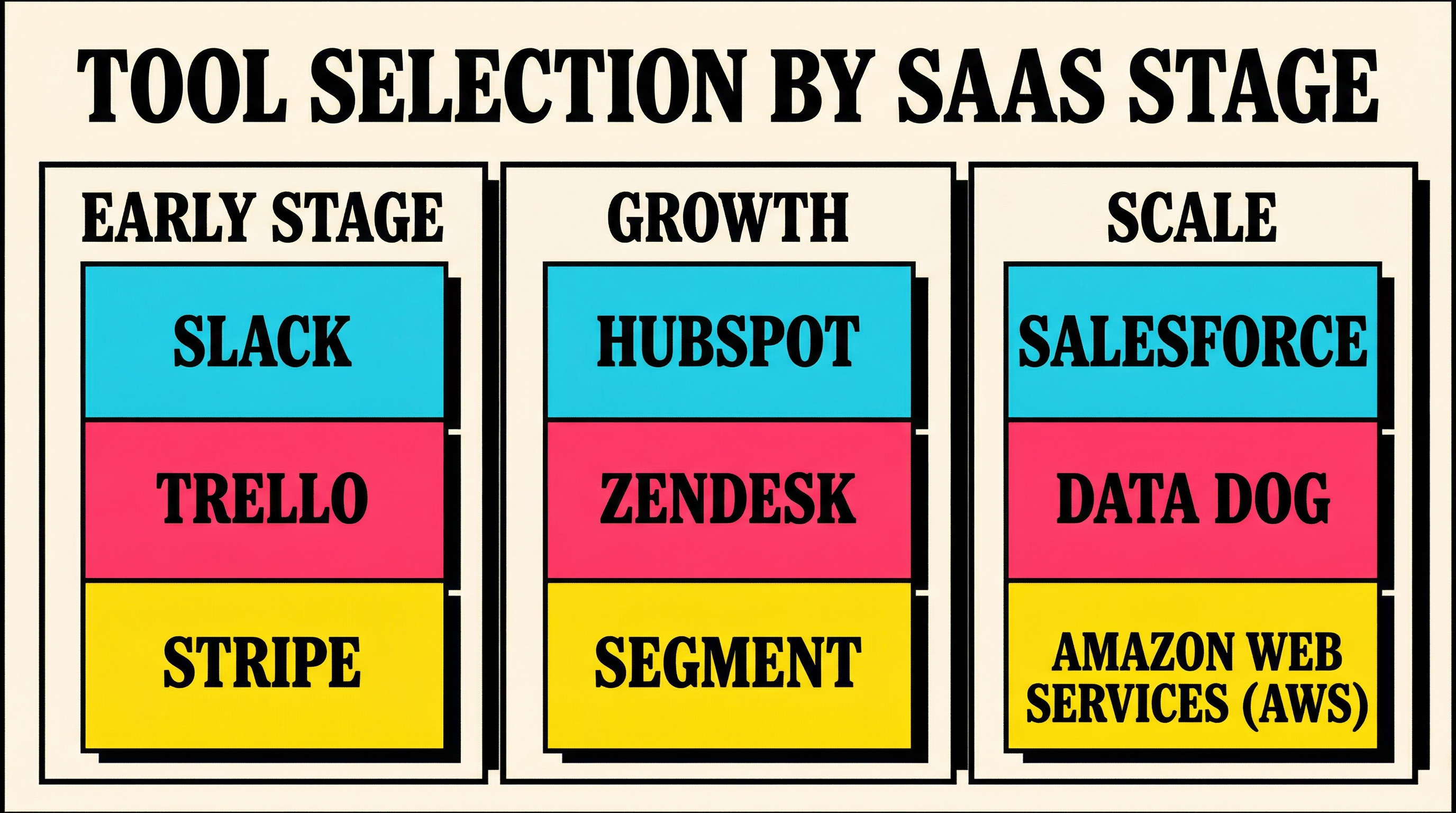
You do not need all nine. Here is a practical starting point based on your stage:
Pre-revenue to $5K MRR: Stripe Dashboard + Webhooks to Slack. Keep it simple. Manual follow-up on failed payments works at this scale.
$5K to $50K MRR: Add Google Sheets or Metabase for tracking trends. Start monitoring your involuntary churn rate as a dedicated metric. Consider ProfitWell for benchmarking.
$50K+ MRR: Layer in Grafana or Stripe Sigma for deeper analysis. At this scale, even a 1% improvement in payment success rate means meaningful revenue. Invest time in understanding your decline code patterns.
The Metrics That Matter Most
Regardless of which tools you choose, track these five metrics consistently:
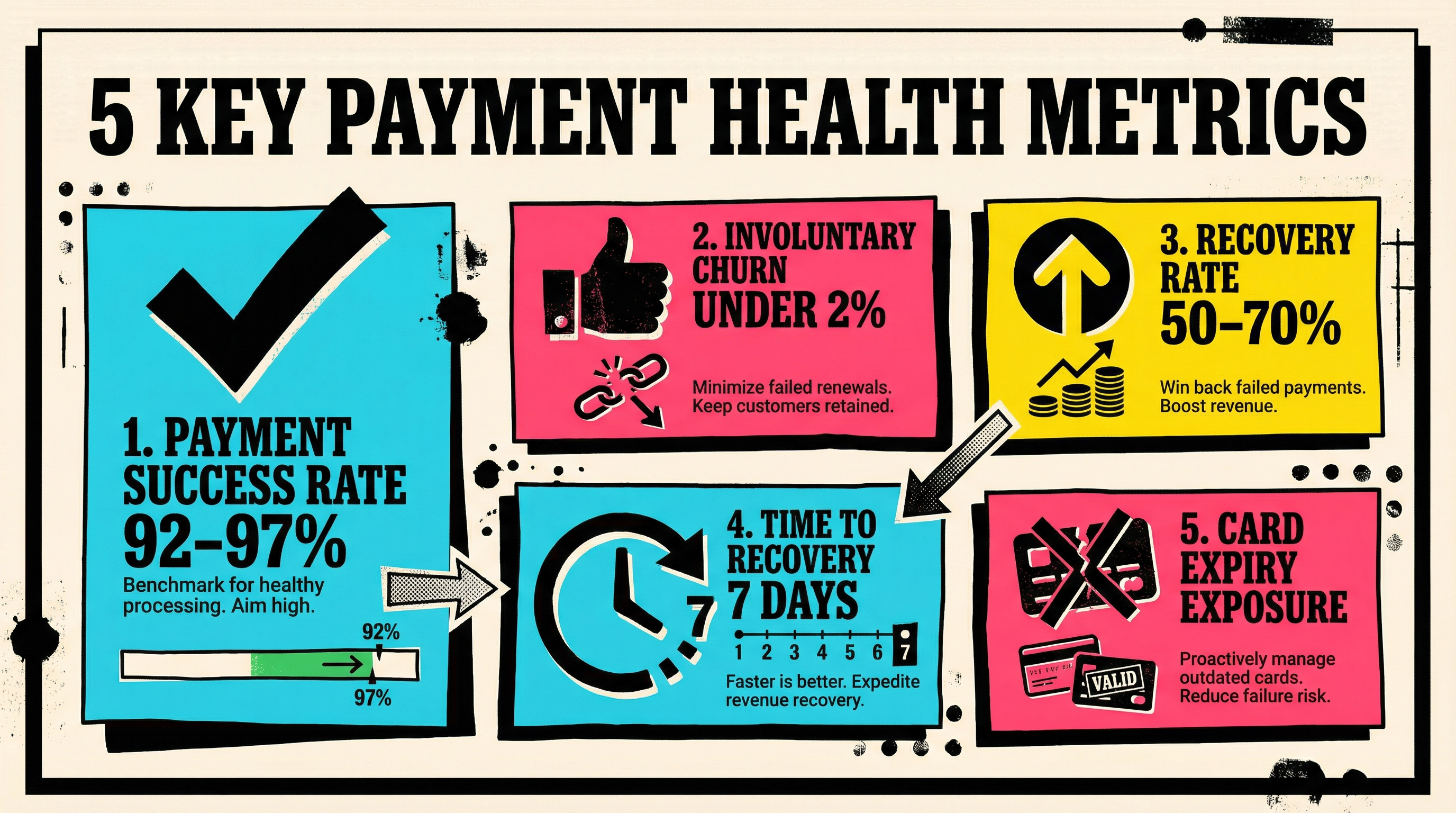
- Payment success rate — The percentage of payment attempts that succeed. Healthy range: 92-97%.
- Involuntary churn rate — Revenue lost specifically to failed payments. Keep this under 1-2% monthly.
- Recovery rate — What percentage of failed payments eventually succeed on retry. Target: 50-70%.
- Time to recovery — How long it takes to recover a failed payment. Faster is better; most recovery happens within 7 days.
- Card expiry exposure — What percentage of your active subscriptions have cards expiring in the next 30-60 days. This is your leading indicator.
Stop Flying Blind
Most SaaS founders do not track payment health at all until it becomes a crisis. By then, months of revenue have leaked silently.
The subscription payment tracking tools above are all free. The data they provide is actionable. And the revenue they help you recover goes straight to your bottom line.
Start with one tool today. Even basic Stripe webhook alerts to Slack will put you ahead of 90% of SaaS founders who only check their payment data when something feels off.
If you want a quick snapshot of where your payment health stands right now, run a free churn audit. It takes two minutes and gives you a clear picture of what is costing you revenue.
Related Posts
Stripe Insufficient Funds Recovery: A Playbook for SaaS Teams
Stripe Do Not Honor Recovery: What SaaS Teams Should Do Next

7 Payment Recovery KPIs Every Stripe Team Should Track
How healthy is your Stripe account?
Get a free churn health report. Find pending cancellations, failed payments, and expiring cards putting your MRR at risk.
Run Free Audit