How to Set Up Card Expiry Alerts That Actually Work
Card expiry is one of the most preventable causes of involuntary churn. Yet most SaaS businesses only discover expired cards after a payment fails, not before.
The average SaaS loses 9-12% of its MRR annually to expired cards. But here's the thing: Stripe gives you the data you need to prevent most of these failures. You just need to set up the alerts correctly.
This guide shows you how to build a card expiry alert system that catches expiring cards 30-60 days before they fail, giving your customers time to update their payment methods without interrupting their service.
Why Card Expiry Alerts Matter More Than You Think
Expired cards account for 20-25% of all failed subscription payments. That's roughly $1 in every $5 of involuntary churn.
Unlike other decline codes, card expiry is 100% predictable. You know exactly when the card will stop working. The expiry date is right there in your Stripe dashboard.
Yet most SaaS companies wait until the payment fails, then scramble to recover it through dunning emails. By then, you've already created friction. The customer's service might be paused, they're getting failure emails, and you're playing catch-up.
Pre-expiry alerts flip this dynamic. You reach out before the problem, position it as helpful service, and give customers time to update on their own schedule.
The recovery rate difference is dramatic: pre-expiry alerts see 60-70% update rates, while post-failure dunning averages 30-40%.
Step 1: Identify Cards Expiring Soon
Stripe stores card expiry data in the payment method object. You need to query this regularly and flag cards expiring within your alert window.
Here's the basic logic:
const stripe = require('stripe')(process.env.STRIPE_SECRET_KEY);

const today = new Date();
const alertMonths = 2; // Alert 60 days before expiry
const expiryThreshold = new Date(today);
expiryThreshold.setMonth(today.getMonth() + alertMonths);

const customers = await stripe.customers.list({
  limit: 100,
  expand: ['data.invoice_settings.default_payment_method']
});

const expiringCards = customers.data.filter(customer => {
  const pm = customer.invoice_settings?.default_payment_method;
  if (!pm || pm.type !== 'card') return false;

  const expMonth = pm.card.exp_month;
  const expYear = pm.card.exp_year;
  const cardExpiry = new Date(expYear, expMonth - 1, 1);

  return cardExpiry <= expiryThreshold && cardExpiry > today;
});
This identifies customers whose default payment method expires within the next 60 days.
Important caveat: Stripe sometimes auto-updates expiring cards through their Account Updater service. These updates happen silently. You need to check for recent updates before sending alerts.
Add this check:
const recentlyUpdated = pm.card.last4 &&
  (new Date() - new Date(customer.created)) < (7 * 24 * 60 * 60 * 1000);

if (recentlyUpdated) {
  // Skip alert, card was likely auto-updated
  return false;
}
Step 2: Set Up Stripe Webhooks for Card Updates
You don't want to query all customers daily. That's inefficient and hits rate limits.
Instead, use Stripe webhooks to track payment method changes in real-time. Set up listeners for these events:
customer.updated(payment method changed)payment_method.attached(new card added)payment_method.detached(card removed)payment_method.automatically_updated(Stripe auto-updated the card)
Here's how to structure your webhook handler:
app.post('/webhooks/stripe', async (req, res) => {
  const event = req.body;

  switch(event.type) {
    case 'payment_method.automatically_updated':
      // Card was auto-updated by Stripe
      const pm = event.data.object;
      await cancelScheduledExpiryAlert(pm.customer);
      break;

    case 'customer.updated':
      const customer = event.data.object;
      const newPm = customer.invoice_settings?.default_payment_method;

      if (newPm && isExpiringWithin(newPm, 60)) {
        await scheduleExpiryAlert(customer.id, newPm);
      }
      break;
  }

  res.json({received: true});
});
This approach only processes alerts when payment methods actually change, dramatically reducing your processing overhead.
Read more about using Stripe webhooks for payment health monitoring.
Step 3: Build Your Alert Notification System
Now you know which cards are expiring. Time to notify customers.
You have three notification channels to choose from:
- Email (primary, 90%+ open rates for billing emails)
- In-app notifications (good for active users)
- SMS (expensive, use for high-value customers only)
Most SaaS companies start with email. Here's the structure:
Alert Timing Strategy
Send 2-3 alerts at strategic intervals:
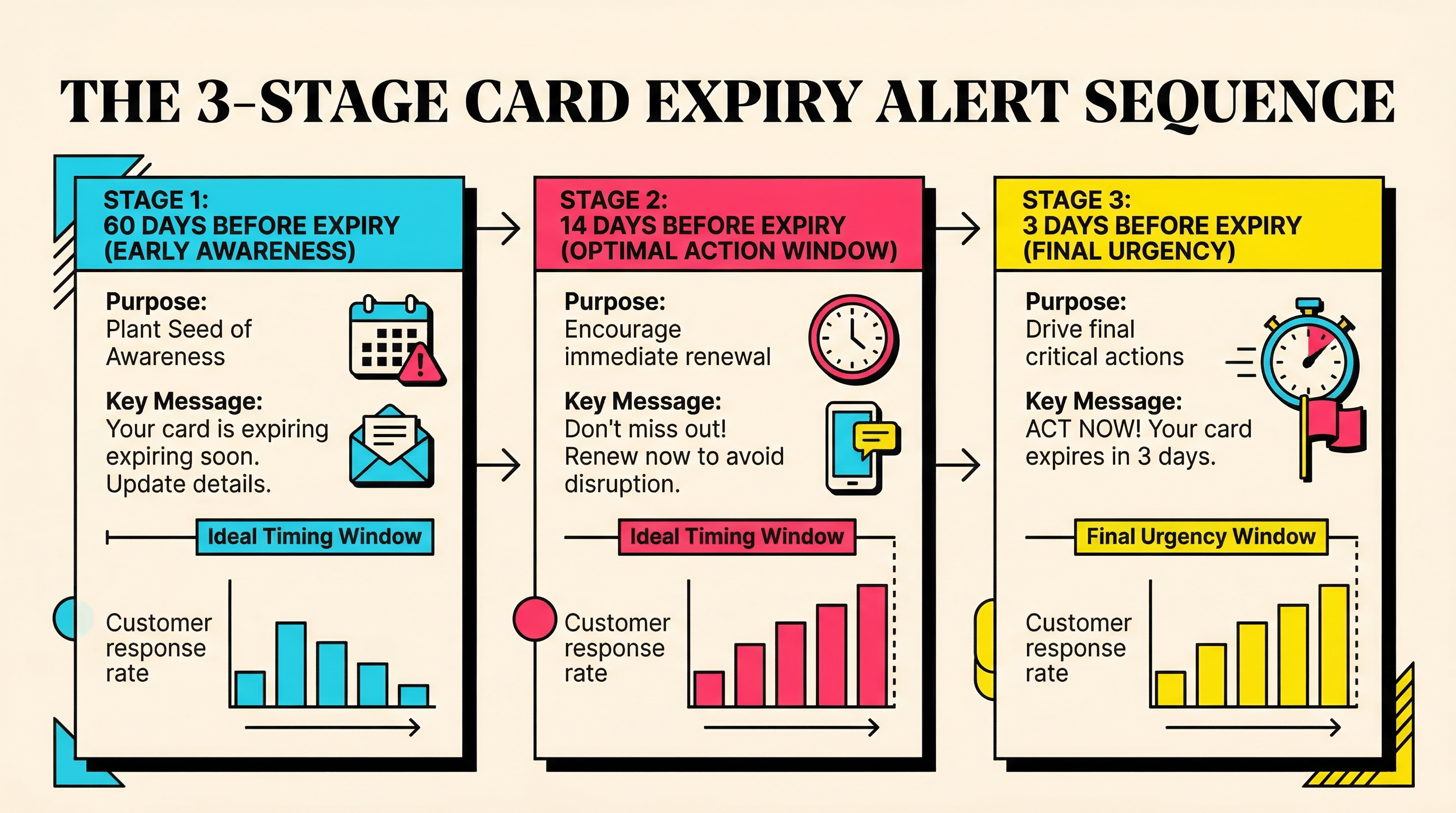
- First alert: 60 days before expiry
- Second alert: 14 days before expiry
- Final alert: 3 days before expiry
Why this cadence? The 60-day alert catches people who update cards early. The 14-day alert hits the sweet spot: people are motivated but not panicked. The 3-day alert is the last-chance nudge.
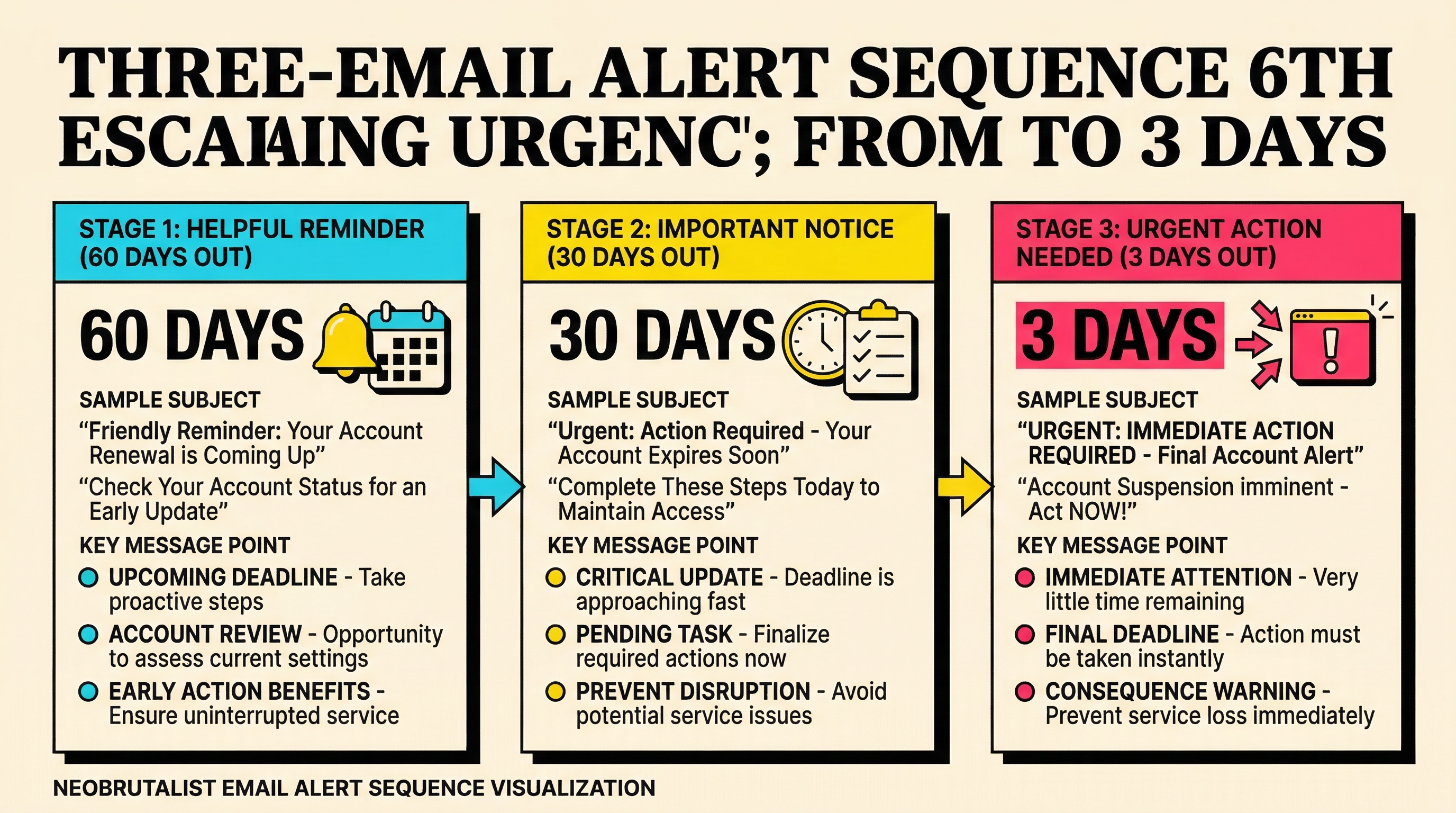
Don't send more than 3 alerts. You're being helpful, not spammy.
Email Template Structure
Your expiry alert email needs three elements:
- Clear subject line: "Your payment card expires in [X] days"
- One-click update link: Stripe payment method update URL
- Expiry details: Last 4 digits, expiry month/year
Here's a basic template:
<h2>Your card ending in {{last4}} expires soon</h2>

<p>Your payment card ending in {{last4}} expires on {{exp_month}}/{{exp_year}}.</p>

<p>To avoid any interruption to your service, please update your payment method:</p>

<a href="{{update_url}}" style="button">Update Payment Method</a>

<p>This takes less than 60 seconds and ensures your subscription continues uninterrupted.</p>
For more complete email templates, check out our guide to payment recovery email templates.
Generate Stripe Update Links
Stripe provides payment method update links through their Customer Portal. Enable this in your Stripe settings:
- Go to Settings → Customer Portal
- Enable "Allow customers to update payment methods"
- Generate portal sessions via API:
const session = await stripe.billingPortal.sessions.create({
  customer: customerId,
  return_url: 'https://yourapp.com/billing'
});

const updateUrl = session.url;
Include this URL in your alert emails. Customers can update their card without logging into your app.
Step 4: Track Alert Performance
Set up analytics to measure how well your alerts work:
- Alert open rate (email opens / alerts sent)
- Click-through rate (update link clicks / emails opened)
- Update rate (cards updated / alerts sent)
- Time-to-update (days from alert to card update)
Store these metrics in your database:
const alert = await db.expiryAlerts.create({
  customer_id: customer.id,
  card_last4: pm.card.last4,
  expiry_date: new Date(pm.card.exp_year, pm.card.exp_month - 1),
  alert_sent_at: new Date(),
  days_before_expiry: 60,
  email_opened: false,
  link_clicked: false,
  card_updated: false
});
Track updates with webhooks (from Step 2). When you see a payment_method.attached event, check if it corresponds to an open alert and mark it resolved.
Good performance benchmarks:
- 60-day alert: 15-20% immediate update rate
- 14-day alert: 40-50% update rate
- 3-day alert: 60-70% cumulative update rate
If you're below these numbers, test different subject lines, email copy, or timing.
Step 5: Handle Edge Cases
Real-world alert systems need to handle these scenarios:
Multiple Cards
Some customers have backup payment methods. Check if they have a non-expiring card on file before alerting:
const paymentMethods = await stripe.paymentMethods.list({
  customer: customerId,
  type: 'card'
});

const hasValidBackup = paymentMethods.data.some(pm => {
  const expiry = new Date(pm.card.exp_year, pm.card.exp_month - 1);
  return expiry > expiryThreshold;
});

if (hasValidBackup) {
  // Don't alert, they have a valid backup card
  return;
}
Cancelled Subscriptions
Don't send expiry alerts to customers who cancelled. Check subscription status:
const subscriptions = await stripe.subscriptions.list({
  customer: customerId,
  status: 'active'
});

if (subscriptions.data.length === 0) {
  // No active subscriptions, skip alert
  return;
}
Trial Periods
If a customer is still in trial, delay the alert until 30 days before trial end or 60 days before expiry, whichever comes first.
Corporate Cards
Corporate cards often auto-renew with the same expiry date. If you see a card "expiring" but it was already updated with the same exp date, skip the alert.
Step 6: Automate the Daily Check
Set up a cron job to run your expiry check daily:
// Run at 9am daily
cron.schedule('0 9 * * *', async () => {
  console.log('Running daily card expiry check...');

  const expiringCustomers = await findExpiringCards();

  for (const customer of expiringCustomers) {
    const daysUntilExpiry = calculateDaysUntilExpiry(customer.payment_method);

    if ([60, 14, 3].includes(daysUntilExpiry)) {
      await sendExpiryAlert(customer, daysUntilExpiry);
    }
  }

  console.log(`Processed ${expiringCustomers.length} customers`);
});
Run this on your backend server or use a service like Heroku Scheduler, AWS Lambda with EventBridge, or Railway cron jobs.
What Not to Do
Common mistakes that tank expiry alert effectiveness:
- Alerting too late: A 3-day warning isn't enough. People need time.
- Alerting too early: 90+ days out and people ignore it.
- Sending too many alerts: More than 3 becomes spam.
- Generic subject lines: "Billing update" gets ignored. Be specific.
- No direct update link: Making customers log in kills conversion.
- Alerting cancelled customers: Wastes sends and annoys people.
- Not tracking results: You can't improve what you don't measure.
The ROI of Card Expiry Alerts
Let's do the math.
Assume you have:
- 500 active subscriptions
- $50 average MRR per customer
- 25% of cards expire annually (125 cards/year)
- 40% recovery rate with post-failure dunning
- 70% prevention rate with pre-expiry alerts
Without alerts:
- Failed payments: 125
- Recovered via dunning: 50 (40%)
- Permanent churn: 75 customers
- Lost MRR: $3,750/month or $45,000/year
With alerts:
- Cards updated pre-expiry: 87 (70%)
- Failed payments: 38
- Recovered via dunning: 15 (40%)
- Permanent churn: 23 customers
- Lost MRR: $1,150/month or $13,800/year
Savings: $31,200/year.
Implementation cost: 4-8 hours of dev time plus ~$20/month for email sending.
That's a 156x first-year ROI.
Combine Alerts with Payment Recovery
Card expiry alerts work best as part of a broader payment recovery strategy. You still need dunning for other failure types (insufficient funds, fraud blocks, network errors).
Think of expiry alerts as the first line of defense. They prevent failures. Dunning catches what slips through.
Together, these systems can reduce involuntary churn by 60-80%.
Get Your Churn Baseline
Before you build card expiry alerts, you need to know your current failure rate and which decline reasons are costing you the most MRR.
Run a free churn audit to see exactly where your Stripe account is leaking revenue. It takes 2 minutes and shows you which failure types to prioritize.
Card expiry might be your biggest leak, or it might be insufficient funds, fraud blocks, or incorrect CVCs. The audit tells you where to focus first.
Related Posts

7 Failed Payment Segments Every Stripe Team Should Track

Stripe vs Chargebee: Which Handles Failed Payments Better
The Complete Toolkit for Managing Failed Payments
How healthy is your Stripe account?
Get a free churn health report. Find pending cancellations, failed payments, and expiring cards putting your MRR at risk.
Run Free Audit