Card Expiry Management: Cheapest Churn Prevention Strategy
Every month, a predictable wave of failed payments hits your Stripe account. Not because customers want to leave. Not because they're unhappy. But because their credit cards expired.
This is the quietest form of involuntary churn, and it's completely preventable. Yet most SaaS businesses treat expired cards as an afterthought—waiting for the payment to fail before taking action. By then, you've already lost days of access, triggered dunning emails, and created unnecessary friction.
Here's the truth: card expiry management is the cheapest churn prevention strategy you're not using. Unlike sophisticated retry logic or AI-powered dunning, preventing expired card failures requires almost zero technical investment. You just need to act before the card expires, not after.
Why Expired Cards Are a Bigger Problem Than You Think
Expired cards account for 15-20% of all failed subscription payments. For a $50K MRR business, that's $7,500-$10,000 in monthly revenue at risk from a completely preventable cause.
The lifecycle looks like this:
- Customer's card expires (happens every 2-4 years per card)
- Stripe attempts to charge the expired card
- Payment fails with decline code
expired_card - Dunning sequence kicks in (emails, retry attempts)
- Customer receives notification they've already lost access
- Customer updates card... or doesn't
The friction happens at step 5. Your customer didn't voluntarily churn. They didn't mean to miss a payment. Their card just expired, and now they're locked out. Some will update their card immediately. Others will procrastinate. A surprising number will never come back.
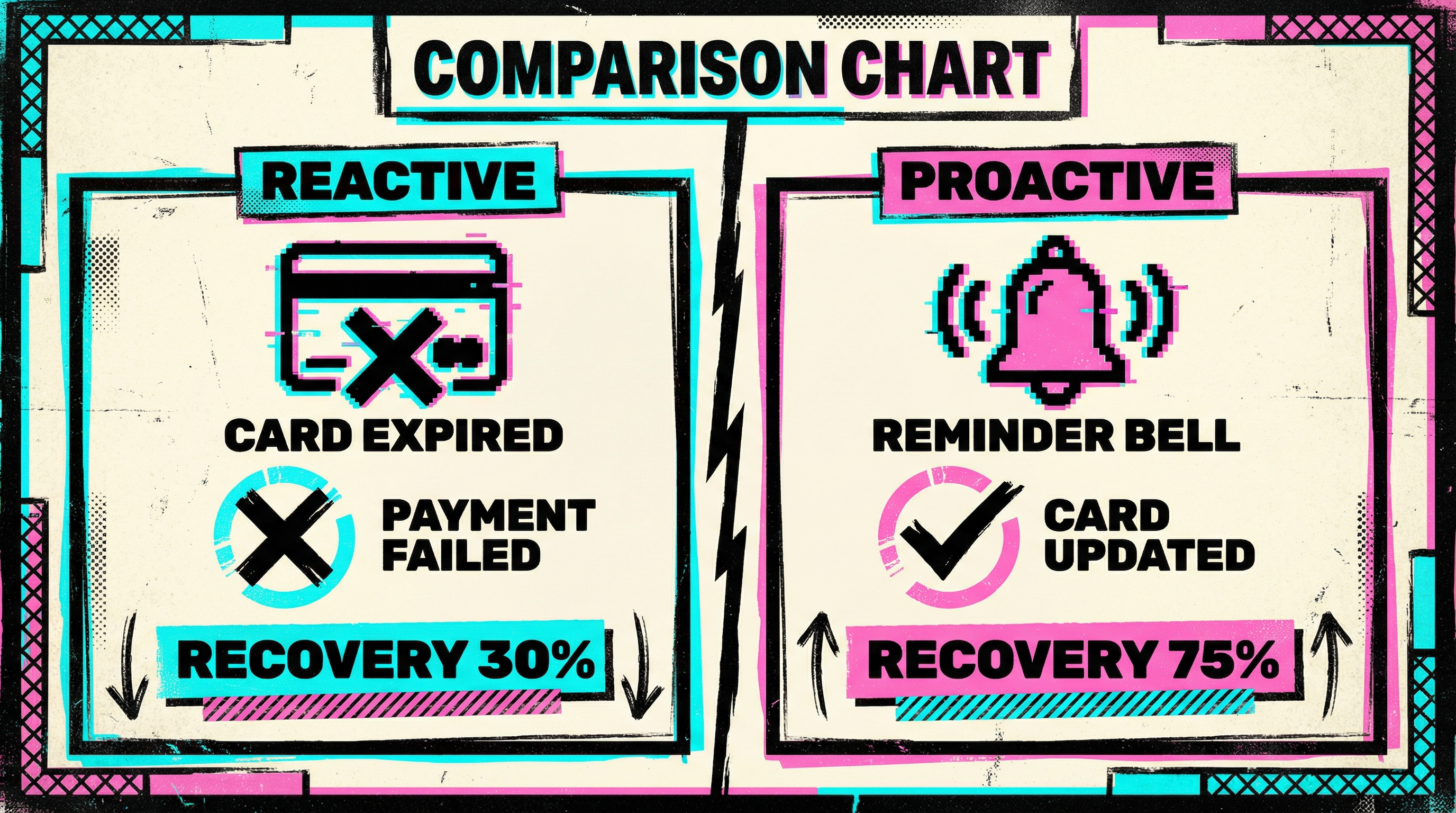
Research from Stripe shows that proactive card update requests sent before expiry recover 3-4x more revenue than reactive dunning after the payment fails. The earlier you remind customers, the less friction they experience.
The Anatomy of Effective Card Expiry Management
1. Track Expiring Cards 30-60 Days Out
Stripe's API provides exp_month and exp_year for every saved payment method. You can query your customer base and identify every card expiring in the next 1-2 months.
This is trivial to implement:
const expiringCards = await stripe.paymentMethods.list({
  customer: customerId,
  type: 'card',
});

const cardsExpiringThisMonth = expiringCards.data.filter(pm => {
  const expMonth = pm.card.exp_month;
  const expYear = pm.card.exp_year;
  const today = new Date();
  return expYear === today.getFullYear() && expMonth === today.getMonth() + 1;
});
Run this check weekly or monthly. Flag customers whose cards are about to expire and queue them for outreach.
2. Send a Friendly Heads-Up Email
The best card expiry emails don't feel like dunning. They feel like a helpful reminder. Here's the structure:
Subject: "Your card expires soon — update it in 30 seconds"
Body:
- Hey [Name], just a heads-up: the card ending in [last 4 digits] expires on [month/year].
- Update your payment method here: [direct link to billing page]
- This takes 30 seconds and prevents any interruption to your service.
No urgency, no alarm, just useful information. Send this 30 days before expiry, and optionally again at 7 days before.
Avoid:
- "Your payment failed" (it hasn't failed yet)
- "Action required immediately" (creates unnecessary panic)
- Generic "update your billing info" (too vague)
The tone should match how you'd text a friend: "Hey, your card's about to expire. Might want to update it." That's it.
3. Make Updating the Card Stupidly Easy
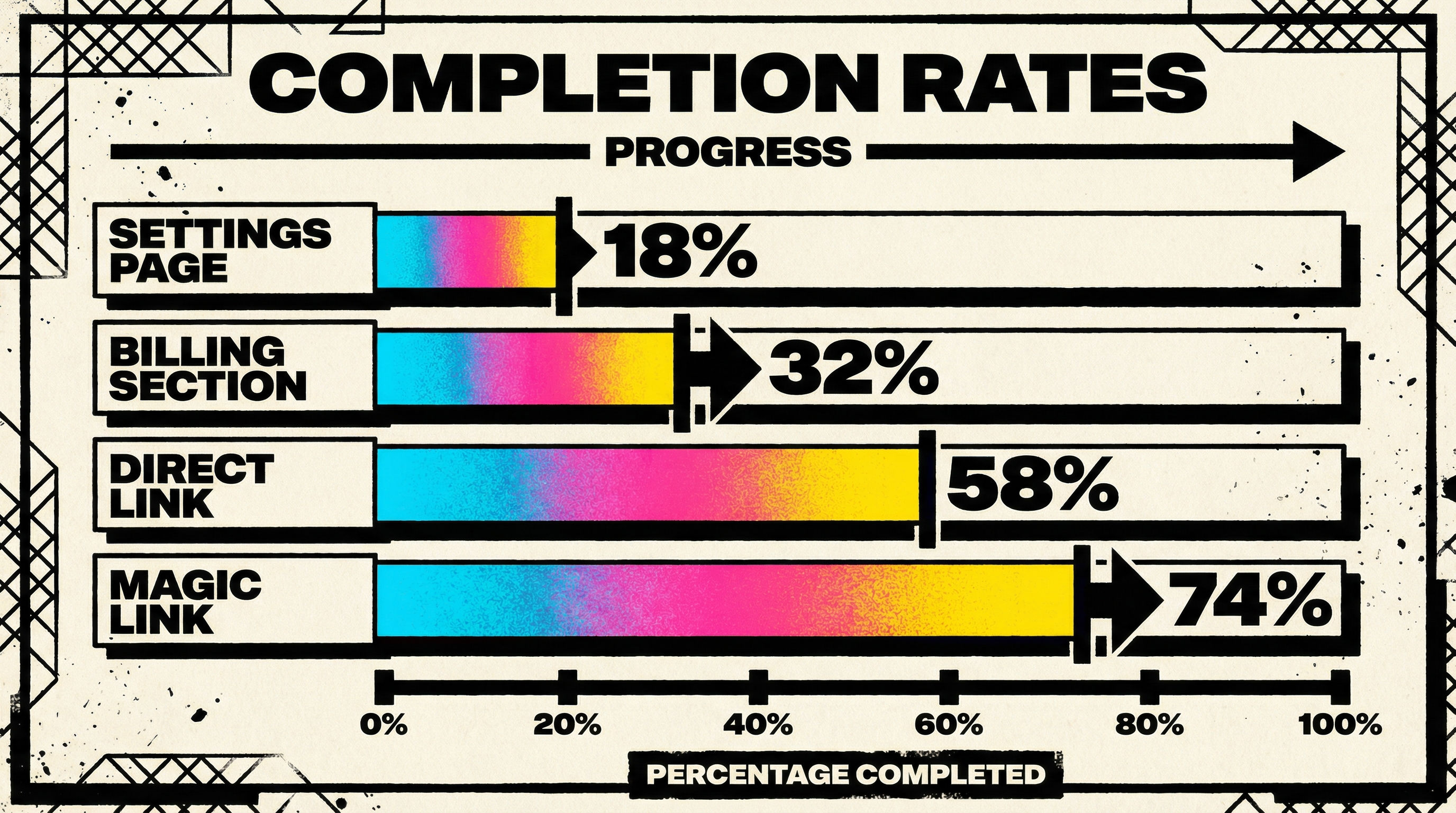
Don't send customers to a generic account settings page where they have to hunt for the billing section. Send them directly to a dedicated card update flow.
Stripe Billing Portal makes this trivial:
const session = await stripe.billingPortal.sessions.create({
  customer: customerId,
  return_url: 'https://yourapp.com/billing/updated',
});

// Email the session.url to the customer
One click, customer lands on a Stripe-hosted page, updates their card, done. No login required if you use a magic link.
The fewer steps between "I should update my card" and "my card is updated," the higher your success rate.
4. Use Stripe's Automatic Card Updater
Stripe has a feature called automatic card updates that silently refreshes expired cards when the issuing bank provides new card details. This happens automatically for many Visa and Mastercard transactions.
To enable it:
- Go to your Stripe Dashboard → Settings → Billing
- Toggle on "Automatic card updates"
- Done
This won't catch every expired card (not all banks participate), but it can recover 20-40% of expiring cards without any customer action. It's free, it's invisible to customers, and it just works.
Combine automatic updates with proactive emails and you'll cover 70-80% of expiring cards before they ever fail a payment.
5. Monitor and Iterate on Your Messaging
Track two metrics:
- Proactive update rate: % of customers who update their card before it expires (after receiving your email)
- Post-expiry recovery rate: % of customers who update their card after the first failed payment
If your proactive update rate is below 30%, your email isn't clear or urgent enough. Test different subject lines, CTAs, and send timing.
If your post-expiry recovery rate is higher than your proactive rate, you're not sending the reminder early enough—customers are only reacting after they lose access.
When to Send the Reminder: Timing Matters
The ideal card expiry reminder timing depends on your product's billing cycle and customer engagement:
- Monthly subscriptions: Send at 30 days and 7 days before expiry
- Annual subscriptions: Send at 60 days and 30 days before expiry
- High engagement products (daily use): Single reminder at 14 days is often enough
- Low engagement products (weekly/monthly use): Send at 30 days, 14 days, and 7 days
For SaaS products with high daily engagement, one reminder is usually sufficient because customers notice immediately when access is disrupted. For products used occasionally, you need more reminders because customers might not notice the failed payment for weeks.
A/B test your timing. Some businesses find that 45 days out is too early (customers forget), while others see the best response at 21 days.
What About Customers Who Ignore the Reminder?
Some customers will ignore your proactive card expiry email. That's fine. You've done your job by giving them advance notice.
When the payment eventually fails:
- Don't punish them. Your first dunning email should acknowledge that their card expired (not that they "failed to pay").
- Offer a grace period. Give them 3-7 days of continued access while they update their card.
- Make it easy. Include the same direct billing portal link.
The goal isn't to maximize compliance with your reminder—it's to minimize friction when things go wrong. Proactive reminders are just one layer of defense. Effective dunning email strategies are still necessary for the customers who don't respond.
Common Mistakes with Card Expiry Management
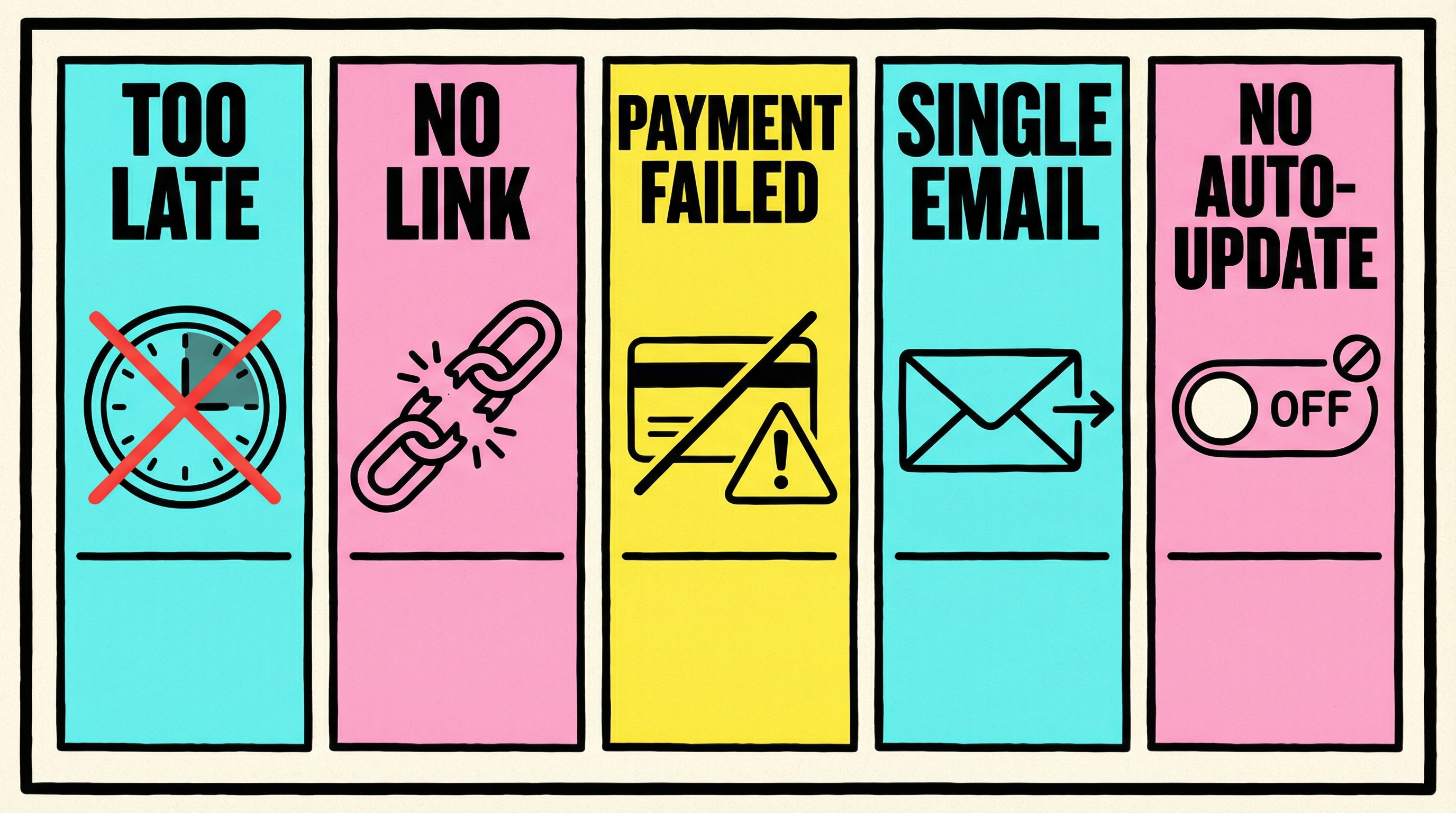
Mistake 1: Sending the Reminder Too Late
Sending a card expiry reminder 3 days before the card expires is pointless. Most customers won't see the email in time, and even if they do, many won't act on it immediately. By the time they get around to updating their card, it's already expired.
Send at least 30 days in advance for monthly billing cycles.
Mistake 2: Not Linking Directly to the Update Flow
Sending customers to your homepage or generic account settings adds unnecessary friction. Every extra click reduces your completion rate by 20-30%.
Use a magic link or Stripe Billing Portal session URL that takes them straight to the card update form.
Mistake 3: Treating Expired Cards Like Failed Payments
Expired cards are not the same as insufficient funds or fraud declines. They're predictable and preventable. Treating them the same as other failed payment scenarios misses the opportunity to intervene before the problem occurs.
Mistake 4: Only Sending One Reminder
Customers are busy. They ignore emails. One reminder won't reach everyone.
Send at least two: one at 30 days, one at 7 days. If you have the infrastructure, add a third at 14 days.
Mistake 5: Not Enabling Stripe's Automatic Card Updates
This is the lowest-hanging fruit in card expiry management, yet many businesses don't enable it. It's a one-time toggle in your Stripe settings that can prevent 20-40% of expired card failures automatically.
There's no reason not to turn this on.
How Card Expiry Management Fits Into Your Broader Churn Prevention Strategy
Card expiry management is not a silver bullet. It's one piece of a larger involuntary churn prevention strategy.
Here's how it stacks up against other tactics:
| Tactic | Cost | Effort | Impact |
|---|---|---|---|
| Card expiry reminders | Low | Low | Medium (15-20% of failures) |
| Automatic card updater | Free | None | Medium (20-40% of expired cards) |
| Smart retry logic | Low | Medium | High (30-50% recovery) |
| Dunning emails | Low | Medium | High (40-60% recovery) |
| Payment method diversification | Medium | High | Medium (10-15% lift) |
| Account updater services | Medium | Low | Medium (30-50% of expired cards) |
Card expiry management shines because it requires minimal effort and cost while preventing a specific, high-volume failure mode. It won't solve all your involuntary churn problems, but it's one of the easiest wins.
Combine it with smart retry strategies and effective dunning, and you'll recover 60-70% of failed payments that would otherwise turn into churn.
Real-World Impact: What to Expect
When you implement proactive card expiry management, here's what typically happens:
Month 1:
- 15-25% of customers update their card after receiving the first reminder
- Expired card failures drop by 10-15%
- Post-expiry recovery time decreases (customers update faster)
Month 3:
- 30-40% of customers proactively update
- Expired card failures drop by 20-30%
- Customers start expecting the reminder (it becomes part of their routine)
Month 6:
- 40-50% of customers proactively update
- Expired card failures drop by 30-40%
- Support tickets related to "why was I locked out?" decrease significantly
The first-month impact won't blow you away. The cumulative effect over 6-12 months is where you see real results. You're training your customer base to update their cards proactively, which compounds over time.
Tools and Services for Automated Card Expiry Management
You don't need to build this from scratch. Several tools handle card expiry management automatically:
Stripe Billing (built-in):
- Automatic card updates (free)
- Webhooks for
payment_method.automatically_updatedevents - Customer portal for self-service updates
Chargify, Recurly, Chargebee:
- Automated card expiry reminders
- Pre-built email templates
- Analytics on proactive update rates
ProfitWell Retain, Churn Buster:
- Advanced dunning with card expiry detection
- A/B tested email sequences
- Integrated with Stripe, handles reminders automatically
Custom build:
- Query Stripe API for expiring cards
- Send emails via Sendgrid, Postmark, or your email service
- Track metrics in your analytics stack
For most early-stage SaaS businesses, a lightweight custom script is enough. As you scale, dedicated dunning tools with built-in card expiry management become worth the investment.
Start Small: A 30-Minute Implementation
You don't need a complex system to start benefiting from card expiry management. Here's a minimal viable implementation:
- Enable Stripe's automatic card updates (5 minutes)
- Write a script to query cards expiring in the next 30 days (10 minutes)
- Send a simple email to those customers with a link to your billing page (10 minutes)
- Run the script manually once a month (5 minutes)
That's it. 30 minutes, and you've eliminated 15-20% of your preventable churn.
Once you see the impact, you can automate the script, add more reminders, refine the messaging, and build a proper workflow. But start with the simplest version that works.
Why This Matters More Than You Think
Expired cards feel like a small problem. Fifteen percent of failed payments doesn't sound dramatic. But here's what that translates to:
- A $100K MRR business loses $15K-$20K annually to expired card churn
- A $500K MRR business loses $75K-$100K annually
- A $1M MRR business loses $150K-$200K annually
That's not just lost revenue—it's lost customers. Every expired card failure that isn't recovered is a customer who might never come back. Even if they intended to stay subscribed, the friction of being locked out, receiving dunning emails, and having to re-enter payment details is enough to make some customers reconsider whether they really need your product.
Card expiry management isn't sexy. It won't make your pitch deck more impressive. But it's one of the highest-ROI churn prevention tactics you can implement, and most of your competitors aren't doing it well.
Next Steps: Audit Your Current Card Expiry Process
Before you build anything new, audit what's happening today:
- Pull a report of all payment failures in the last 90 days
- Filter for
expired_carddecline codes - Calculate what percentage of your total failures this represents
- Check how many of those customers eventually updated their card (and how long it took)
- Estimate the revenue lost to customers who never came back
That's your baseline. If 15-20% of your failed payments are expired cards, and only 50-60% of those customers recover, you have a clear opportunity.
Run a free churn audit at churnbot.co/audit to see exactly how much revenue you're losing to expired cards and other preventable payment failures. You'll get a breakdown of your decline codes, recovery rates, and specific recommendations for where to focus your efforts.
Expired cards are the easiest churn prevention win in SaaS. Don't wait for the payment to fail. Remind customers before their card expires, make updating stupid simple, and watch your involuntary churn rate drop.
Related Posts

7 Failed Payment Segments Every Stripe Team Should Track


The Anatomy of a Failed Payment: What Actually Happens
How healthy is your Stripe account?
Get a free churn health report. Find pending cancellations, failed payments, and expiring cards putting your MRR at risk.
Run Free Audit